

When your business relies on accurate marketing data, tagging lead sources without double counting is a must. Yet, many teams struggle with duplicate tags, inconsistent naming, and fragmented records. These issues can leave you guessing which campaigns actually drive results.
Tagging lead sources without double counting is not just a technical challenge—it’s a process problem. Without clear rules and automation, your reports can quickly become unreliable.
This article breaks down the problem, offers practical solutions, and answers the most common questions about tagging lead sources without double counting.
Understanding the Problem: Why Double Counting Happens
When businesses track where their leads originate, they often use tags in their CRM or marketing platforms. Tagging lead sources without double counting is essential for accurate reporting, but it’s not as simple as it seems.

Overlapping campaigns, multiple touchpoints, or inconsistent naming can cause the same lead to be counted more than once.
Double counting lead sources can significantly distort marketing ROI calculations, leading to poor decision-making and wasted budget (Salesforce).
If a lead interacts with several campaigns, each touchpoint might be tagged as a new source unless rules are set. This inflates the perceived effectiveness of some channels and makes it hard to know what’s really working.
Where Errors Sneak In
The most common culprit is inconsistent tagging practices. If one team member tags a lead as “Facebook Ad” and another uses “FB Paid,” your system might treat these as separate sources.
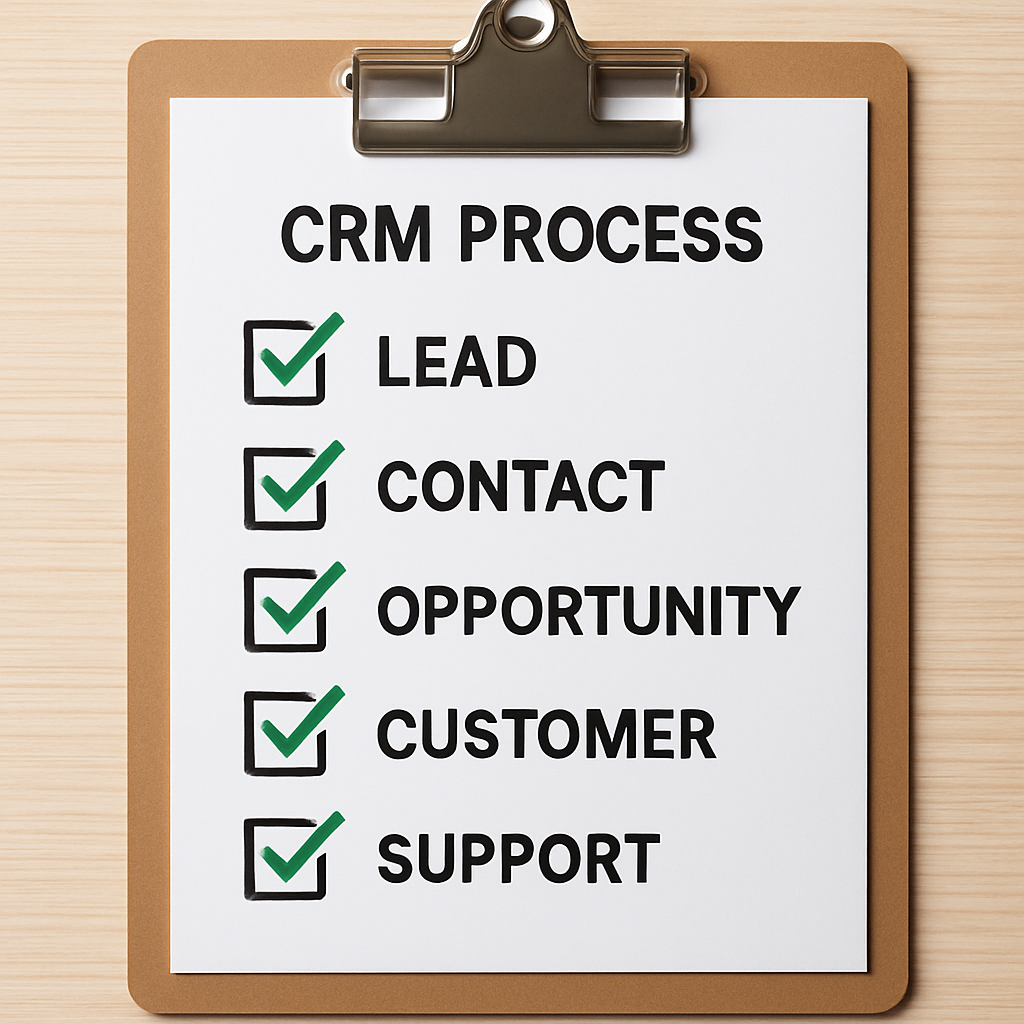
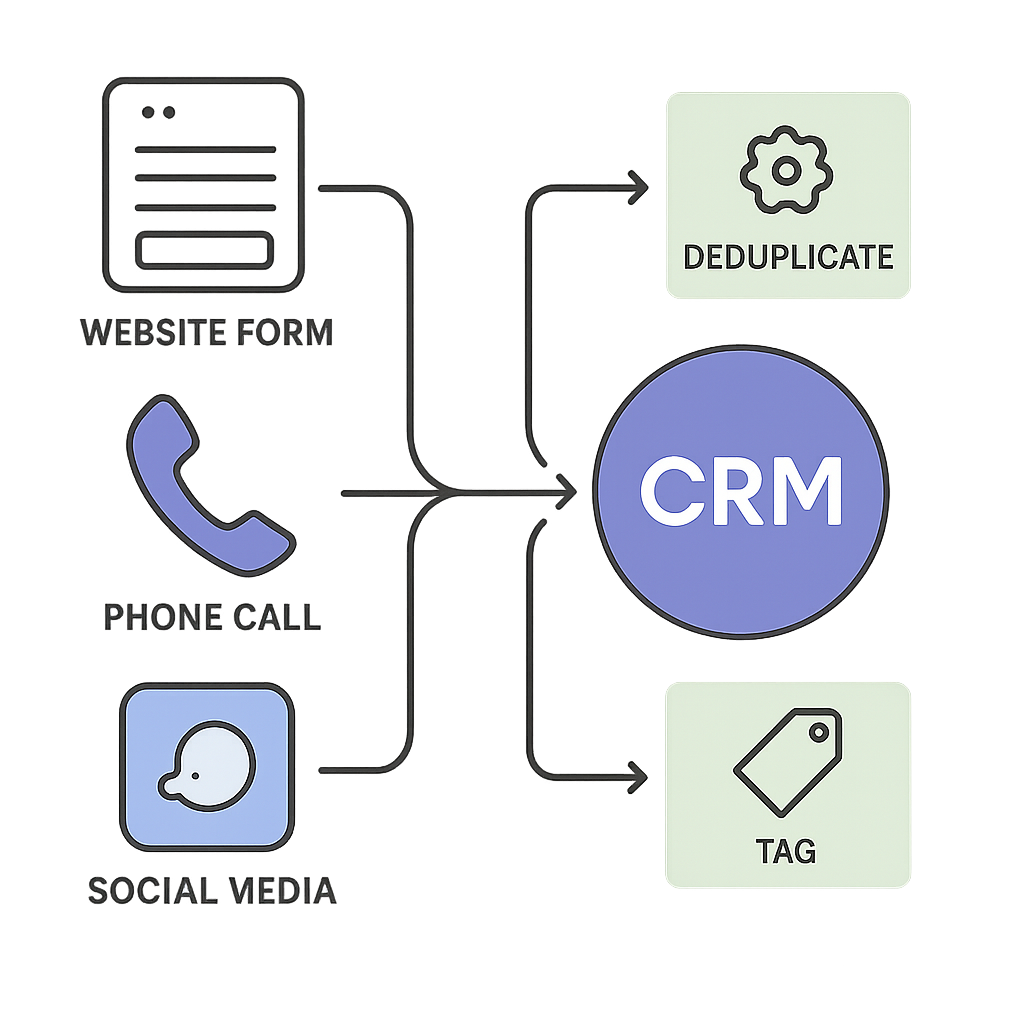
Similarly, when integrating multiple tools—like a website form and a CRM—syncing issues can create duplicate records, each with its own tags.
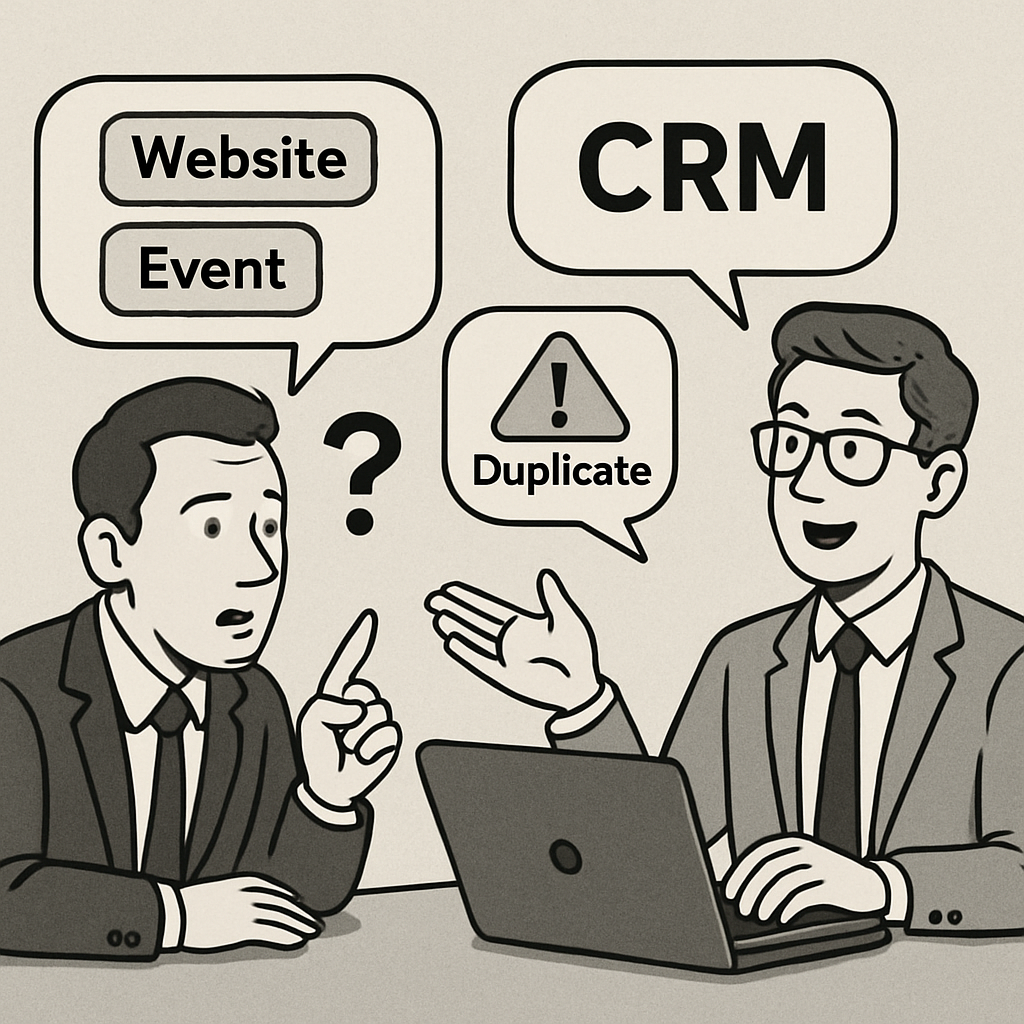
Automated duplicate detection rules improve CRM data quality for small businesses (Salesforce). But if these rules aren’t set up, duplicate leads slip through and each instance gets tagged again. This is especially true when importing lists from events or third-party sources.
- Leads can be tagged multiple times if they fill out several forms.
- Importing contacts from different platforms without deduplication creates overlap.
- Manual entry mistakes, like typos or inconsistent naming, multiply tags.
- Integrations between marketing tools and CRMs sometimes sync the same lead more than once.
- Lack of clear process documentation leads to confusion about which tag to use.
Tagging lead sources without double counting is also complicated by the way attribution models work. Some systems credit every touchpoint, while others only count the first or last. Without a clear standard, your analytics can become muddled.
Standardizing lead source naming conventions reduces errors in tagging. When everyone uses the same terms and follows a documented process, the risk of double counting drops.
Adopting a single source of truth—like a well-maintained CRM—helps ensure that each lead is only counted once, even if they interact with multiple campaigns.
Real-World Scenarios Leading to Double Counting
Double counting often arises when leads interact with multiple campaigns or channels before converting. For example, a prospect might click a paid ad, sign up for a webinar, and then download a whitepaper.
If each touchpoint is logged as a separate lead source without proper controls, your reports will overstate lead volume.
Another common scenario involves manual data entry. When sales or marketing staff input lead sources by hand, inconsistencies and duplicate entries can occur. This is especially likely if your CRM allows free-text input for source fields.
- Multiple campaign interactions per lead
- Manual entry errors
- Lack of standardized source fields
- Overlapping automation rules
- Inadequate deduplication processes
The Impact on Reporting and Decision-Making
Double counting skews your understanding of which channels are most effective. It can lead to over-investment in channels that appear to generate more leads than they actually do. This misallocation of resources hampers your ability to optimize marketing spend and strategy.
Inaccurate lead source data also complicates attribution modeling. If leads are counted multiple times, it becomes difficult to determine which touchpoints truly drive conversions. This can undermine confidence in your analytics and reporting.
Technical Pitfalls and Data Hygiene Challenges
Technical issues such as overlapping automation rules or poorly configured integrations can exacerbate double counting. For instance, if two workflows both assign a source tag when a lead is created, the lead may end up with multiple tags or be counted twice in reports.
Maintaining data hygiene is an ongoing challenge. Without regular audits and clear ownership, errors can accumulate over time, making it harder to untangle the true source of your leads. Investing in robust processes and automation is key to preventing these issues.
Real-World Scenarios
Double counting can also occur when leads interact with multiple touchpoints before converting.
For example, a user might click a paid ad, then return via an email link, causing both sources to be recorded. Without proper deduplication, this inflates your lead source metrics and complicates ROI analysis.
- Multiple form submissions from the same user
- Inconsistent cookie or session handling
- Overlapping campaign tracking parameters
5 Steps to Tagging Lead Sources Without Double Counting
Tagging lead sources without double counting requires a systematic approach. Follow these five proven steps to keep your CRM data clean and your reporting accurate:
1. Audit and Clean Existing Data
Start by reviewing your current CRM records. Look for duplicate contacts, inconsistent lead source tags, and fragmented activity logs. Use CRM data cleanup before automation to merge or remove duplicates. This step lays the foundation for reliable tagging lead sources without double counting.
2. Standardize Lead Source Naming Conventions
Create a master list of approved lead source names. Train your team to use these names consistently. Document the naming rules and make them accessible. This reduces confusion and helps everyone tag leads the same way, reducing the risk of double counting.
3. Set Up Duplicate Contact Rules in Your CRM
Most modern CRMs offer duplicate detection and merging features. Enable these tools and customize the rules to fit your business.
For example, match on email address or phone number to catch duplicates. This prevents multiple records for the same lead, which is key for tagging lead sources without double counting.
4. Integrate All Lead Capture Points
Connect your website forms, phone call tracking, and ad campaigns directly to your CRM. Use automation to ensure every new lead is checked against existing records before a new one is created.
This keeps all activities—like logging calls and form fills in one record—tied to the right contact.
5. Document and Train on the Process
Write clear instructions for tagging lead sources without double counting. Train new hires and review the process regularly. Encourage your team to flag any issues or inconsistencies. Ongoing education keeps your system accurate as your business grows.
Step-by-Step Implementation Example
Let’s walk through a practical example of implementing these steps in a real-world scenario. Suppose your business generates leads from paid ads, organic search, and webinars.
Begin by mapping each channel to a unique source tag in your CRM, using dropdown fields to prevent manual entry errors.
Next, configure your automation tool to check if a lead already has a source tag before assigning a new one.
For instance, if a lead first arrives via a paid ad and later attends a webinar, the system should retain the original source unless your business rules specify otherwise.
- Map each source to a unique tag
- Use dropdowns instead of free-text fields
- Set automation to check for existing tags
- Retain original source unless overridden by rules
- Test with sample leads for accuracy
Handling Multi-Touch Journeys
Leads often interact with multiple channels before converting. To avoid double counting, decide whether you want to track first touch, last touch, or a combination. Clearly define which touchpoint will be considered the primary source for reporting purposes.
For example, if you choose first-touch attribution, ensure your automation only assigns a source tag when the lead is first created. If you opt for last-touch, update the tag only when a new interaction occurs. Document these decisions and communicate them to your team.
Monitoring and Adjusting the Process
After implementation, monitor your lead source data for anomalies such as unexpected spikes in certain sources or a high number of untagged leads.
Use dashboards or scheduled reports to surface these issues quickly. Regularly solicit feedback from sales and marketing teams to identify areas for improvement.
Be prepared to refine your process as your marketing mix evolves. New channels or changes in campaign structure may require updates to your tagging logic or automation workflows.
Avoiding Common Pitfalls
A frequent mistake is failing to account for leads revisiting your site through different channels. To prevent this, implement logic that only tags the original source unless a conversion event occurs. Document exceptions for cases like referrals or partner campaigns, which may require special handling.
- Set clear rules for source attribution changes
- Review historical data for unexpected duplicates
- Train staff on how to handle ambiguous cases
Automation Tools and Best Practices for Clean Tagging
Automation is your ally in tagging lead sources without double counting. The right tools and workflows can enforce rules, reduce manual errors, and keep your CRM data clean.
CRM Automation Features
Leverage built-in CRM automation features to manage duplicate contact rules in a small business CRM. Set up workflows that automatically merge duplicates, standardize tags, and alert your team when manual review is needed.
This ensures that every lead is only counted once, even if they interact with multiple campaigns.
Custom Workflow Automation
For businesses with complex lead flows, custom workflow automation can bridge gaps between marketing tools and your CRM.
Use platforms like CRM automation and custom workflow automation to create logic that checks for duplicates, applies the correct lead source tag, and logs all activities in one place.
Content and Social Media Automation
When running multiple campaigns across platforms like Facebook, LinkedIn, and Instagram, content and social media automation tools help track lead sources consistently.
Integrate these tools with your CRM to ensure that every lead is tagged according to your naming conventions, reducing the risk of double counting.
Logging Calls and Form Fills in One Record
Use automation to link all calls, form fills, and other activities to a unique contact record. This approach prevents fragmentation and ensures a complete history for each lead. Lead follow-up automation can help streamline this process.
Regular Audits and Data Hygiene
Schedule regular audits to review your CRM data for duplicates and inconsistent tags. Use automation to flag potential issues and prompt your team to take corrective action. This ongoing maintenance is essential for tagging lead sources without double counting.
Choosing the Right Automation Tool
Selecting an automation tool that aligns with your existing tech stack is essential for seamless lead source tagging. Evaluate whether native CRM automations, third-party integrations, or custom scripts best fit your workflow. Consider the learning curve and support resources available for each option.
When assessing tools, prioritize those that offer robust error handling and clear logging. This enables your team to quickly identify and resolve issues that could lead to double counting or missed tags. Look for solutions with active user communities or vendor support for troubleshooting.
- Evaluate compatibility with your CRM
- Check for error logging capabilities
- Assess ease of use for your team
- Review vendor support options
- Consider scalability for future growth
Implementing Tagging Logic
Define clear logic for how each lead source should be tagged. For example, set rules that prioritize original sources over subsequent touchpoints, or use time-based logic to determine which source takes precedence. Document these rules and ensure they are reflected in your automation workflows.
Test your tagging logic with sample data before deploying it organization-wide. This helps catch edge cases where leads might be incorrectly tagged or double counted. Involve stakeholders from both marketing and sales to validate that the tagging meets reporting needs.
Avoiding Common Pitfalls
One common pitfall is failing to update tagging rules as new marketing channels are introduced. Regularly review your automation workflows to incorporate new sources and retire obsolete ones.
Another risk is overcomplicating your tagging logic, which can make troubleshooting difficult and increase the likelihood of errors.
Keep your tagging system as simple as possible while still capturing the necessary detail. Document all changes and communicate them to relevant teams to ensure everyone is aligned.
Integrating Automation with Existing Systems
When deploying automation tools, ensure they integrate seamlessly with your CRM and marketing platforms. Test each integration in a sandbox environment before going live to avoid data mismatches.
Monitor for edge cases, such as leads entering from rarely used channels, which may require custom tagging logic.
- Map out all lead entry points before automation
- Use webhook logging to trace data flow
- Periodically validate tool outputs against source data
FAQ: Tagging Lead Sources Without Double Counting
What is lead source tagging and why is it important?
Lead source tagging is the process of labeling where a lead originated, such as a website form, phone call, or ad campaign. It helps businesses track which marketing efforts are effective and allocate resources wisely.
How does double counting of lead sources happen?
Double counting occurs when a single lead is tagged multiple times across different records or activities, inflating the number of leads from a source and skewing analytics.
Can automation tools help prevent double counting?
Yes, automation tools can enforce rules to merge duplicates, standardize tags, and ensure that activities are logged under one contact record, reducing errors.
What are best practices for cleaning up CRM data before automation?
Best practices include auditing data for duplicates, standardizing lead source names, merging contact records, and removing outdated or incorrect entries.
How do I log calls and form fills in one record without losing data?
By linking all activities to a unique contact identifier and using CRM features that consolidate interactions, you can maintain a complete history without fragmentation.
Take Control of Your Lead Source Tagging
Ready to stop double counting and get clear, actionable marketing data? Book a free consultation with AutomateSTL to see how automation can clean up your CRM and streamline your lead tracking.
Establishing Ownership and Accountability
Assigning clear ownership for lead source tagging is crucial for maintaining accuracy. Designate a team or individual responsible for overseeing the tagging process and ensuring that protocols are followed. This helps prevent confusion and reduces the risk of inconsistent tagging across your organization.
Regular audits of your tagging system can reveal gaps or errors that may otherwise go unnoticed. Schedule periodic reviews to check for duplicate tags, missing data, or outdated source definitions. These audits should be documented and any findings addressed promptly to maintain data integrity.
- Assign a lead source tagging owner
- Schedule quarterly audits
- Document and resolve tagging discrepancies
- Update tagging protocols as needed
- Communicate changes to all stakeholders
Integrating Tagging with Your CRM
Integrating your lead source tagging system directly with your CRM ensures that all captured data flows seamlessly into your sales pipeline.
Use automation tools or built-in CRM features to enforce tagging rules at the point of entry. This reduces manual errors and ensures that every lead is tagged consistently from the outset.
When integrating, map each possible lead source to a predefined field in your CRM. Avoid free-text fields, as these can introduce inconsistencies and make reporting difficult. Instead, use dropdown menus or picklists with standardized options.
Monitoring and Continuous Improvement
Monitor the performance of your tagging system by tracking key metrics such as the percentage of leads with missing or duplicate tags.
Use these insights to refine your tagging process over time. Encourage feedback from users who interact with the system daily, as they can often spot issues before they become widespread.
Finally, recognize that lead source tagging is not a one-time project but an ongoing process. As your marketing channels evolve, revisit your tagging strategy to ensure it continues to meet your business needs.
Operationalizing Tagging Consistency
To maintain accuracy, establish clear documentation outlining how each lead source should be tagged. Regularly audit your tagging process to catch inconsistencies early. Consider assigning a team member to oversee updates and ensure adherence to your tagging standards.
- Schedule quarterly reviews of your tagging logic
- Create a shared tagging reference guide
- Use version control for any tagging scripts or workflows