
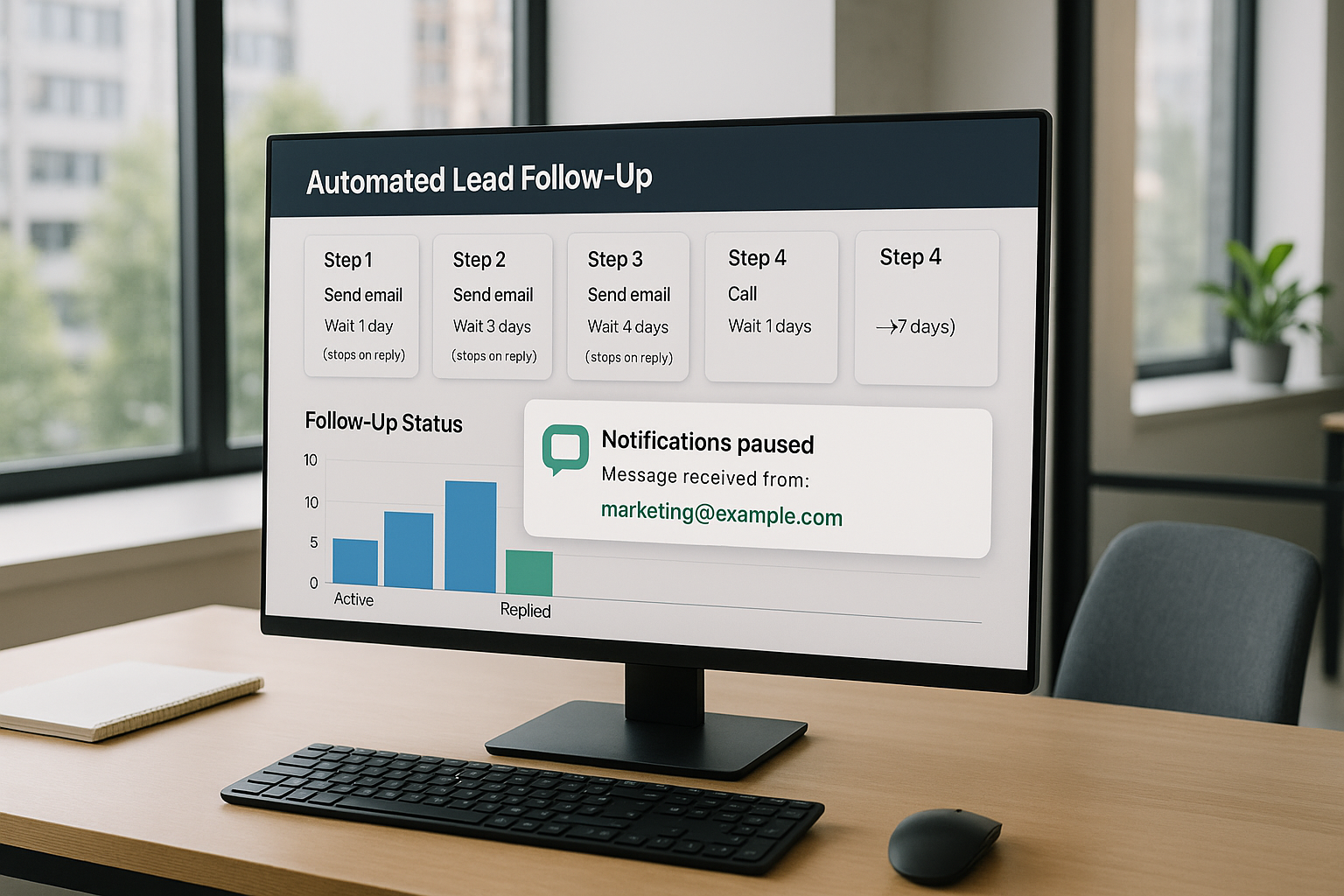
When a potential customer fills out a form or requests information, your response time can make or break the deal. Businesses that master lead follow up sequences that stop when someone replies are able to nurture prospects efficiently and respectfully.
These systems ensure that your team never sends redundant messages, avoids awkward double-messaging, and always delivers a professional experience.
In this article, we’ll break down how lead follow up sequences that stop when someone replies work, why they matter, and how you can implement them for maximum impact.
What Are Lead Follow Up Sequences and Why They Matter
Lead follow up sequences that stop when someone replies are automated workflows designed to nurture potential customers after they express interest.
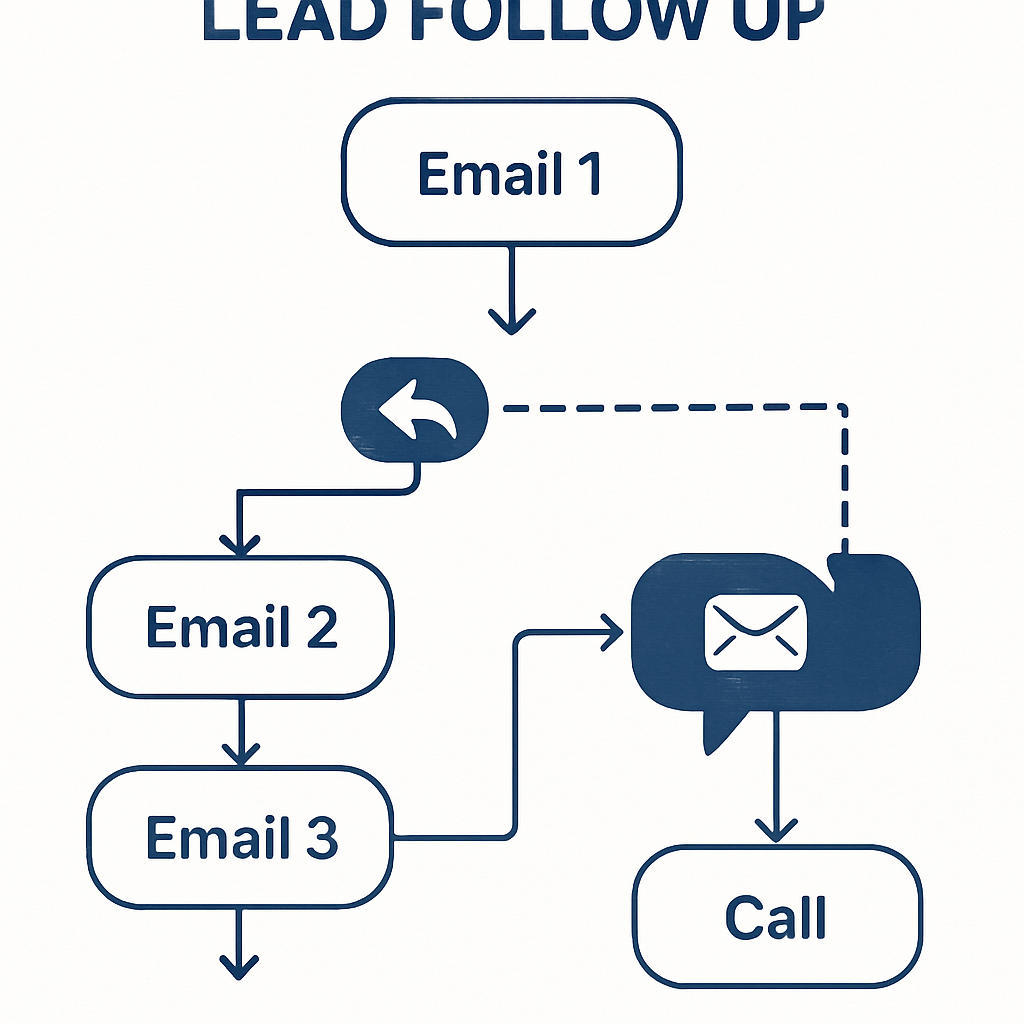
These sequences send a series of messages—usually emails, texts, or calls—at pre-set intervals. The moment a lead responds, the automation halts, ensuring no further follow-up is sent unnecessarily.
Effective lead follow up sequences that stop when someone replies prevent awkward double-messaging and help sales teams focus on real conversations.
According to Salesforce, automating these touchpoints increases efficiency and ensures no lead slips through the cracks. This approach is crucial for businesses aiming to convert more prospects into paying customers.
Why Timely and Relevant Communication Wins
Speed matters. Industry best practices suggest that calling new leads within five minutes significantly increases conversion rates [sba.gov].
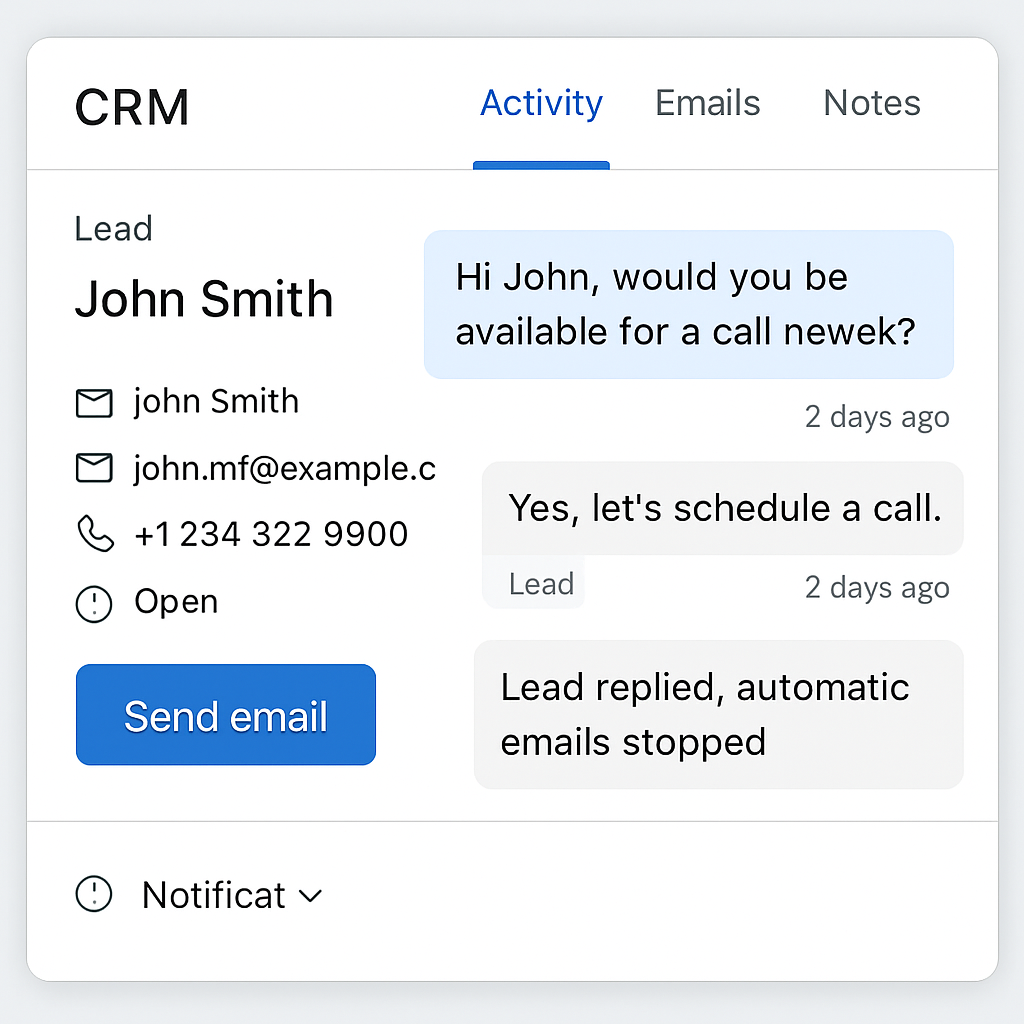
Automated lead follow up sequences that stop when someone replies make it possible to reach out instantly, even after hours, and pivot to personal engagement once the lead is active.
Consider these benefits:
- Saves time by stopping unnecessary messages after a reply
- Reduces the risk of annoying or overwhelming leads
- Enables sales reps to prioritize hot leads
- Improves the customer experience with personalized attention
- Helps maintain a professional brand image
When a lead replies, the system recognizes their engagement and pauses all further outreach. This prevents redundant communication and demonstrates respect for the lead’s time.
CRM triggered follow up calls can be set up to alert your team when a response comes in, ensuring timely and relevant replies.
After hours lead response options are also enhanced by this automation. Contractors and small businesses can capture more opportunities by responding quickly, even when the office is closed.
By using lead follow up sequences that stop when someone replies, you create a seamless, customer-friendly process that can boost your sales pipeline.
The Operational Impact of Timely Follow Ups
Implementing a structured follow up sequence ensures that no lead falls through the cracks.
For example, a real estate agent might schedule a series of emails and texts over two weeks, increasing the chance of engagement. Without automation, these steps are often missed due to busy schedules or human error.
- Automated sequences free up sales teams for high-value conversations
- Consistent messaging builds trust and brand recognition
- Timely follow ups can double response rates compared to ad hoc outreach
A common pitfall is sending too many messages, which can annoy leads and damage your reputation. It's important to balance persistence with respect for the recipient's time. Monitoring unsubscribe rates and adjusting frequency helps maintain a positive impression.
How Lead Follow Up Sequences That Stop When Someone Replies Work
Lead follow up sequences that stop when someone replies use automation tools—often built into your CRM or workflow software—to monitor for replies and halt further outreach. Here’s how the process typically unfolds:
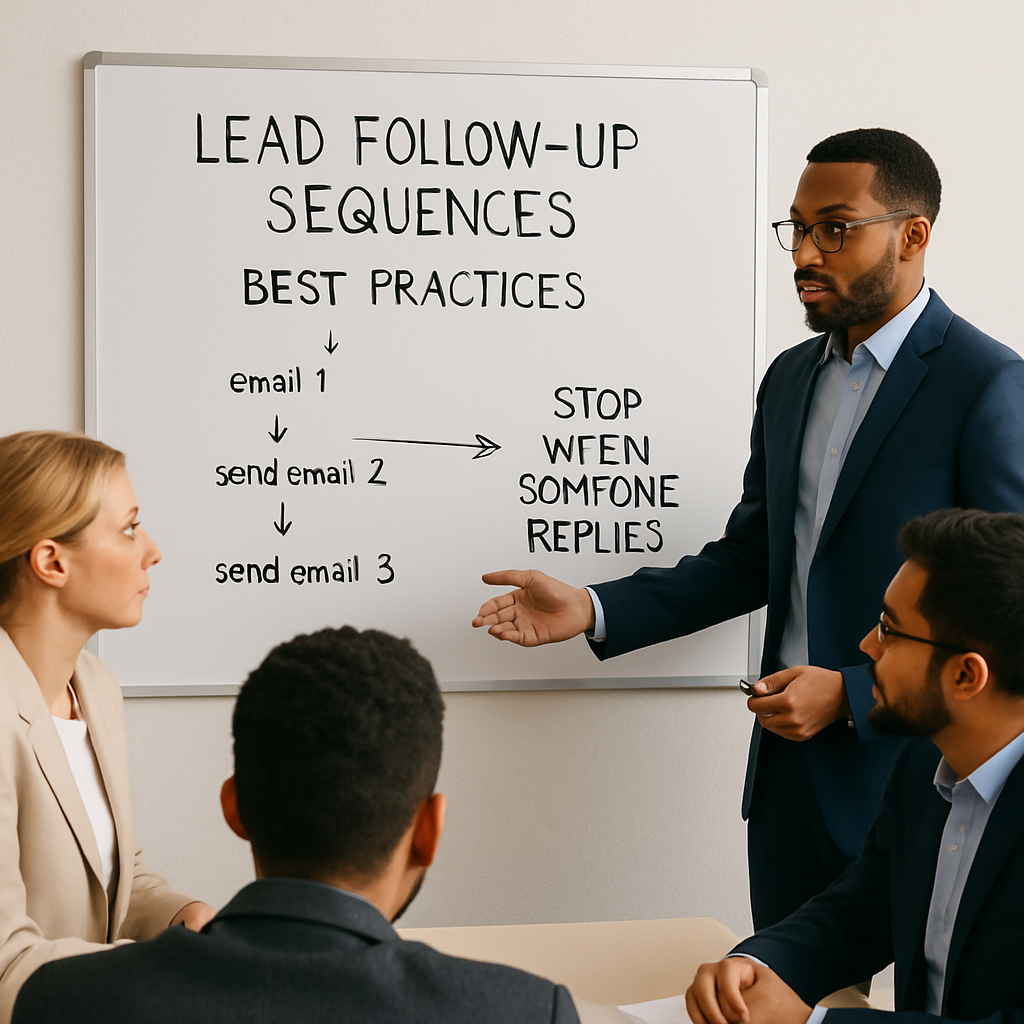
- A lead submits a form or inquiry.
- The system triggers a sequence of emails, texts, or calls at scheduled intervals.
- If the lead replies at any point, the automation detects this and immediately stops all remaining messages in the sequence.
- Your sales team is notified to take over with a personalized approach.
This approach ensures that each lead receives enough attention to stay engaged, but never feels bombarded. It’s especially effective when paired with calling new form leads within five minutes, as it increases your chances of meaningful contact.
CRM triggered follow up calls can be set up to alert your team to hot leads, and after hours lead response for contractors can be handled seamlessly.
Behind the Scenes: Automation Logic
At the core of these sequences is a trigger-based workflow. When a lead enters your system, they are enrolled in a series of scheduled messages. Each message is sent at a predetermined interval unless the system detects a reply from the lead.
The automation platform monitors incoming communications for replies. If a reply is detected, the workflow immediately halts any pending messages for that lead. This ensures that leads who engage are not bombarded with further automated outreach, which can feel impersonal or pushy.
Different platforms use various methods to detect replies. Some rely on tracking email threads, while others monitor inbound SMS or chat responses. It’s important to test these mechanisms to ensure they work reliably for your audience and communication channels.
Example Workflow
- Lead fills out a web form and is added to the sequence
- Day 1: Automated welcome email is sent
- Day 3: Follow up email is scheduled, but sequence checks for a reply first
- If no reply, Day 3 email is sent; if reply detected, sequence stops
- If still no reply, Day 7: Final follow up message is sent
A common pitfall is failing to account for out-of-office replies or automated responses. These can sometimes trigger the stop condition, prematurely ending the sequence. To avoid this, configure your system to distinguish between genuine replies and auto-responders.
Additionally, consider how your system handles multi-channel communication. If a lead replies via SMS but the sequence is email-based, ensure your automation can reconcile these interactions. Integrating all channels into a unified CRM can help prevent missed opportunities and duplicate outreach.
Real-World Example of Sequence Logic
Consider a scenario where a lead fills out a web form and receives a welcome email. If the lead replies, the automation detects the response and halts further scheduled messages. This prevents redundant outreach and allows a salesperson to take over with a personalized approach.
- Use unique tracking links to monitor engagement
- Set up triggers that pause or end sequences upon reply detection
- Integrate with your CRM to update lead status automatically
A pitfall to watch for is false positives—sometimes automated systems misinterpret out-of-office replies as genuine responses. Regularly audit your automation rules to ensure only true replies stop the sequence.
Setting Up Lead Follow Up Sequences That Stop When Someone Replies
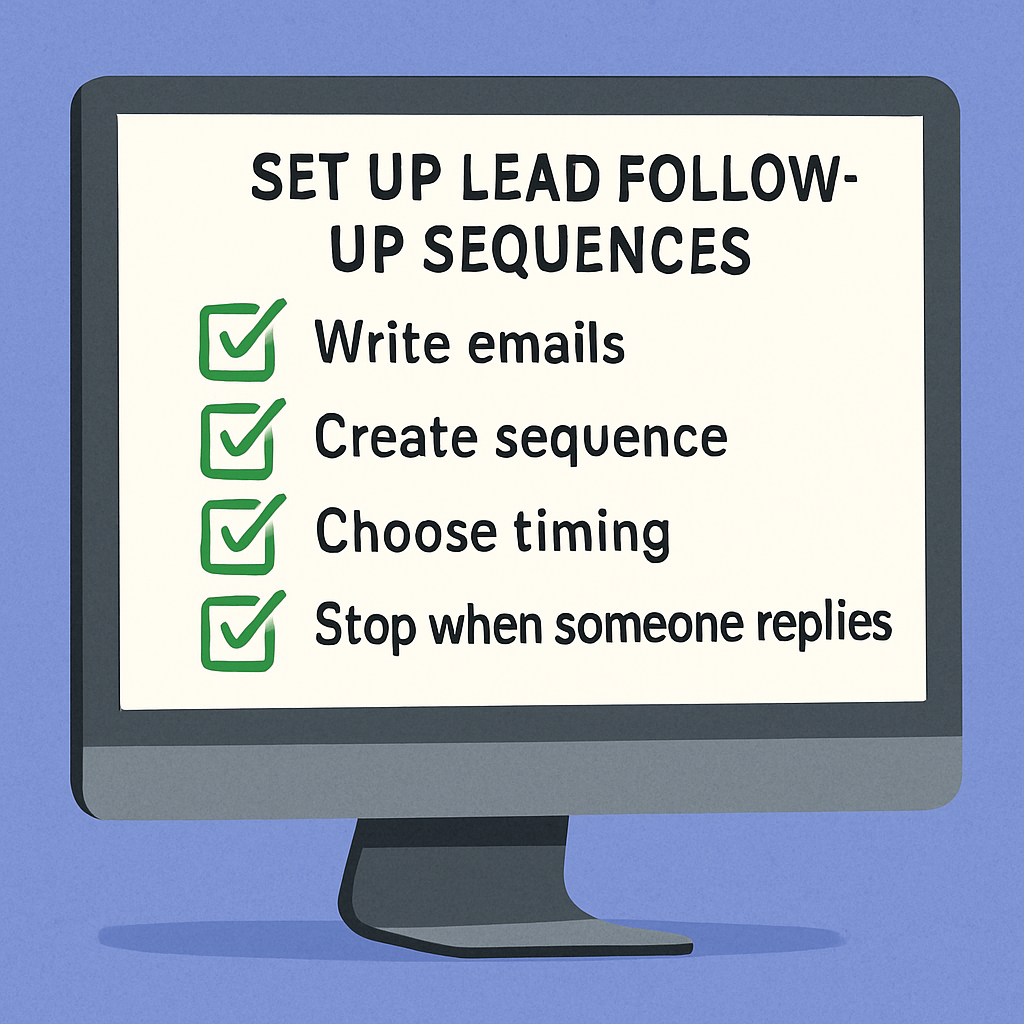
Setting up lead follow up sequences that stop when someone replies is easier than you might think. Most modern CRMs and marketing automation platforms offer this feature out of the box. Here’s a step-by-step overview:
- Choose a CRM or automation tool that supports reply detection and sequence pausing.
- Design your sequence: Create a series of messages spaced out over days or weeks, focusing on value and relevance.
- Set reply triggers: Configure the system to monitor for replies via email, SMS, or call.
- Test the workflow: Run through the sequence yourself to ensure it stops when you reply.
- Train your team: Make sure everyone knows how the system works and what to do when they’re notified of a reply.
For contractors and small businesses, after hours lead response can be automated using voicemail, call forwarding, or instant SMS replies. This ensures no opportunity is missed, even outside regular business hours.
By leveraging lead follow up sequences that stop when someone replies, you can focus your energy on leads who are ready to engage.
Step-by-Step Setup Guide
Begin by mapping out the ideal customer journey for your leads. Identify key touchpoints where automated messages can nurture engagement, and determine logical points where the sequence should pause or stop based on lead behavior.
Select an automation tool that supports conditional logic and integrates with your communication channels. Platforms like HubSpot, ActiveCampaign, or AutomateSTL’s custom workflow solutions can provide this functionality. Ensure your chosen tool can monitor replies across all relevant channels, not just email.
Configure your sequence by drafting each message and setting appropriate delays between them. Use merge fields to personalize content with the lead’s name, company, or interests.
Test each step by enrolling yourself or a colleague as a lead and simulating replies to verify that the sequence stops as intended.
Common Setup Challenges
- Integrating multiple communication channels into one workflow
- Ensuring reply detection works for all message formats
- Avoiding duplicate or conflicting automations
- Managing exceptions, such as leads who reply with unrelated questions
- Documenting processes for team training and troubleshooting
After setup, monitor the system for at least two weeks to catch any issues. Use analytics dashboards to track sequence performance and identify leads who slipped through without proper follow up. Regularly update your sequences to reflect changes in your products, services, or target audience.
Finally, create a feedback loop with your sales and support teams. Encourage them to report cases where the automation failed or could be improved. This collaborative approach ensures your lead follow up process remains effective and responsive to real-world needs.
Best Practices for Lead Follow Up Sequences That Stop When Someone Replies
To get the most from lead follow up sequences that stop when someone replies, follow these best practices:
- Respond quickly: Aim to reach out within five minutes of a new inquiry.
- Personalize your messages: Use the lead’s name and reference their specific request.
- Keep it relevant: Make each message valuable and avoid generic templates.
- Monitor reply detection: Regularly test your system to ensure it’s catching replies and stopping sequences as intended.
- Balance automation with a human touch: Once a lead replies, shift to a personalized approach.
CRM triggered follow up calls are especially useful for ensuring no hot lead gets missed. For after hours lead response, set up automated messages that assure the lead they’ll be contacted soon.
By following these steps, you’ll create a seamless experience with lead follow up sequences that stop when someone replies.
Operationalizing Best Practices
To maximize the effectiveness of your lead follow up, start by defining clear objectives for each stage of your sequence.
For example, your first message might focus on confirming interest, while subsequent messages provide value or address common objections. This clarity ensures that each communication has a purpose and avoids overwhelming leads with redundant information.
It’s important to segment your audience based on behavior and demographics. Tailoring your follow up sequences for different segments—such as new leads, returning prospects, or high-value accounts—can dramatically improve engagement rates. Use data from your CRM to inform these segments and adjust messaging accordingly.
When configuring your automation, test reply detection across all channels, including email, SMS, and chat.
Some platforms may only recognize replies in certain formats, so verify that your system accurately stops sequences regardless of how the lead responds. Regularly review logs or reports to catch any missed replies.
Trade-Offs and Considerations
- Balancing automation with genuine human interaction
- Deciding how many follow ups are appropriate before stopping
- Choosing between short, direct messages and longer, informative content
- Determining when to escalate a lead to manual outreach
- Ensuring compliance with opt-out and privacy regulations
After a lead replies, have a plan for personalized follow up. Automated sequences should hand off to a sales or support team member who can respond promptly and contextually. Document these handoff procedures and train your team to recognize when a lead needs special attention.
Finally, monitor key metrics such as reply rates, conversion rates, and sequence completion rates. Use this data to refine your approach over time. Small adjustments—like tweaking subject lines or changing the timing of messages—can yield significant improvements in performance.
Fine-Tuning Your Follow Up Process
Test your sequence with a small group before rolling it out widely. Analyze which messages prompt replies and which are ignored, then refine your content accordingly. Use A/B testing to compare subject lines, send times, and message formats for optimal results.
- Personalize messages with the lead's name and relevant details
- Space out follow ups to avoid overwhelming recipients
- Document your workflow for easy troubleshooting and updates
Be cautious about relying solely on automation—some leads may require manual intervention for complex questions. Always provide an easy way for leads to opt out or request a call, ensuring your process remains customer-centric.
Frequently Asked Questions About Lead Follow Up Sequences That Stop When Someone Replies
Why should lead follow up sequences stop when a lead replies?
Stopping sequences upon reply prevents sending redundant messages, improves customer experience, and allows sales teams to focus on meaningful conversations.
How quickly should I call new form leads?
Ideally, within five minutes to maximize the chance of engagement and conversion.
What is a CRM triggered follow up call?
It's an automated call initiated by a CRM system based on specific lead actions or time triggers to ensure timely follow up.
How can contractors handle leads that come in after business hours?
Options include voicemail systems, call forwarding to on-call staff, or automated messages that assure the lead will be contacted promptly.
What are common mistakes when stopping follow up sequences too early?
Stopping before confirming a genuine reply can cause missed opportunities; it’s important to verify responses and maintain a personal touch.
Take Action: Transform Your Lead Follow Up Today
Ready to implement lead follow up sequences that stop when someone replies? Book a free strategy session with AutomateSTL to see how automation can help you win more business and delight your leads.
Book your free strategy session.
Steps to Implement Effective Lead Follow Up
If you’re ready to overhaul your lead follow up process, start by mapping out your current workflow. Identify every touchpoint where a lead receives communication and note which messages are automated. This will help you spot gaps and redundancies in your sequence.
Next, choose an automation platform that supports conditional logic—this is crucial for stopping sequences when a lead replies.
Many CRM systems and marketing automation tools offer this feature, but it’s important to verify that it integrates smoothly with your existing tech stack. If you’re unsure, AutomateSTL’s CRM automation services can guide you in selecting and configuring the right solution.
Common Pitfalls to Avoid
- Overcomplicating your sequences with too many branches
- Failing to test reply detection across all communication channels
- Neglecting to personalize follow up messages after a reply
- Not monitoring for false positives or missed replies
- Ignoring compliance with privacy and communication regulations
Once your system is in place, run a pilot test with a small segment of leads. Monitor how the automation handles replies and whether the sequence stops as intended. Adjust your workflows based on real-world results, and document any exceptions or edge cases that arise.
Consider setting up regular reviews of your follow up sequences. As your business evolves, your messaging and triggers may need to change. Schedule quarterly audits to ensure your sequences remain relevant and effective.
For more in-depth guidance, explore AutomateSTL’s lead management automation article to see how other businesses have streamlined their processes. By taking these steps, you’ll be well on your way to transforming your lead follow up and maximizing your conversion opportunities.
Steps to Implement Effective Sequences
Start by mapping your current lead journey and identifying where follow up is inconsistent or delayed.
Use automation tools to trigger messages based on lead actions, such as opening an email or clicking a link. Test different message timings and formats to see what resonates best with your audience.
- Segment leads by source or interest for tailored messaging
- Set clear goals for each stage of your follow up sequence
- Regularly review performance metrics and adjust as needed
A frequent challenge is integrating new automation with existing CRM systems. Ensure your tools can sync data seamlessly to avoid duplicate messages or missed replies. Training your team on the new process is essential for smooth adoption.