

Traditional voicemail is no longer enough for local businesses, especially those in home services. Customers expect quick, convenient responses, and every missed call could mean a lost opportunity. If you’re still relying on outdated voicemail, it’s time to consider a smarter approach.
A modern voicemail replacement for local businesses can transform how you handle calls. These solutions automate responses, route inquiries, and even book appointments—helping you capture more leads and deliver better service.
This guide covers the essential steps to upgrade your phone system and stay ahead of the competition.
Introduction to Voicemail Replacement for Local Businesses
Traditional voicemail often leaves customers frustrated, especially when they need quick answers or urgent service. Missed calls can mean missed opportunities, and many local home service businesses are realizing that voicemail is no longer the most effective tool for customer communication.

Voicemail replacement for local businesses offers a smarter way to handle inbound calls.
Instead of sending callers to a generic message, these solutions can provide real-time responses, route calls to the right team member, or even book appointments automatically. This shift helps businesses capture more leads and deliver better service.
Why Automation Outperforms Old Voicemail
Customers today expect fast, convenient communication. When a call goes unanswered, they may move on to a competitor. With voicemail replacement for local businesses, you can ensure every inquiry is addressed, even after hours.

Automated systems can answer common questions, collect caller information, and schedule appointments, reducing the risk of losing valuable leads.
Integrating appointment booking automation with CRM systems improves scheduling efficiency, as noted by the U.S. Small Business Administration.
After hours call answering increases customer satisfaction and lead capture rates, which is crucial for growth. These benefits are especially important for home service providers who rely on timely responses.
Some of the most popular voicemail replacement technologies include:
- Automated call answering platforms
- AI-powered chatbots for voice and text
- Online appointment scheduling tools
- Call routing and forwarding services
- Integration with Google Business Profile for instant messaging (Google Business Profile Help)
Choosing the right voicemail replacement for local businesses can transform how you interact with customers. It also frees up your team to focus on delivering quality service, rather than chasing missed calls.
By adopting these modern solutions, local businesses can stay competitive and responsive in a fast-paced market.
Understanding the Need for Change
Traditional voicemail systems often leave customers frustrated, especially when their messages go unanswered or are lost in a backlog.

For local businesses, this can translate into missed sales, negative reviews, or damaged reputation. By adopting a voicemail replacement solution, you can provide a more responsive and reliable experience for your customers.
- Reduce the risk of lost or overlooked messages
- Improve response times for customer inquiries
- Enhance your business’s professional image
- Offer 24/7 availability without hiring additional staff
- Streamline communication workflows
Real-World Implementation Example
Consider a local HVAC company that previously relied on standard voicemail. During peak season, they received dozens of calls after hours, many of which went unreturned due to message overload.
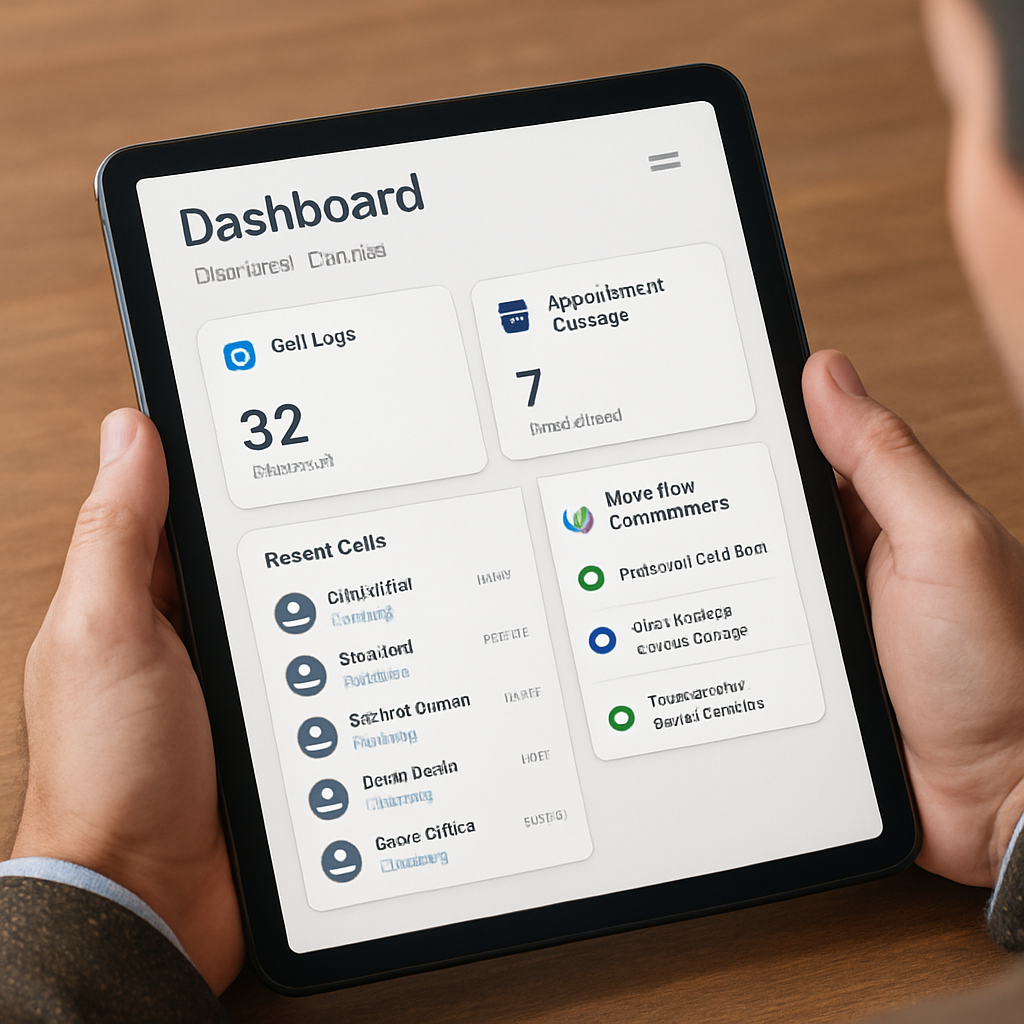
After switching to a voicemail replacement system, every call was logged, prioritized, and routed to the appropriate technician for follow-up. This not only improved customer satisfaction but also increased the number of service appointments booked.
Trade-Offs and Considerations
While voicemail replacement offers many advantages, it’s important to weigh potential trade-offs. Automated systems may lack the personal touch of a live receptionist, and some customers may prefer speaking to a human.
To address this, choose a solution that allows for customization and escalation to live staff when necessary.
Additionally, ensure your chosen system integrates smoothly with your existing phone infrastructure. Compatibility issues can lead to missed calls or technical glitches, undermining the benefits of the upgrade. Work closely with your provider to test the system thoroughly before full deployment.
For more information on how these solutions work in practice, visit AutomateSTL’s AI Phone Answering for Small Business, which covers implementation tips and common pitfalls.
The 5-Step Checklist for Voicemail Replacement for Local Businesses
1. Assess Your Current Call Handling Process
Start by reviewing how your business currently handles incoming calls. Identify pain points such as frequent missed calls, long hold times, or customer complaints about unreturned messages.
Document your call flow and note where voicemail is used most often. This assessment will help you understand what needs improvement and set clear goals for your new system.
2. Choose the Right Automation Tools
Research available voicemail replacement for local businesses solutions. Look for features like after hours call answering, missed call recovery, and appointment booking by phone automation.
Consider platforms that integrate with your existing CRM or scheduling software. Evaluate options such as AI receptionist services, call routing tools, and online booking systems. Select tools that align with your business needs and budget.
3. Set Up Automated Call Routing and Responses
Configure your chosen system to route calls based on time of day, caller intent, or staff availability. Set up automated responses for common inquiries, such as business hours, service areas, or appointment requests.
Ensure callers always reach a helpful message or action, rather than a generic voicemail box. Test the system thoroughly to confirm it works as intended.
4. Integrate Appointment Booking and Lead Capture
Enable appointment booking by phone automation so customers can schedule services without waiting for a callback. Connect your phone system to your CRM or calendar to automatically capture lead details and update records.
This integration streamlines scheduling and ensures no opportunity slips through the cracks. Use missed call recovery features to follow up with callers who hang up before leaving a message.
5. Train Your Team and Monitor Performance
Provide training for staff on how to use the new voicemail replacement for local businesses tools. Explain how automated systems work and how to handle escalations or exceptions.
Monitor call analytics and customer feedback to measure the impact of your new system. Adjust settings and scripts as needed to improve results and maintain a high level of service.
How Voicemail Replacement for Local Businesses Boosts Lead Capture
Faster Response Times
With voicemail replacement for local businesses, every call is answered promptly, even after hours. Automated systems can collect caller information and respond to inquiries instantly. This reduces the risk of losing leads to competitors and ensures customers feel valued.
Improved Missed Call Recovery
Instead of letting missed calls go to voicemail, modern systems can trigger follow-up texts or emails. This proactive approach increases the chances of reconnecting with potential customers. Missed call recovery for service companies is critical for maximizing revenue.
Seamless Appointment Booking
Automated appointment booking by phone allows customers to schedule services without waiting for a callback. Integration with your CRM or calendar keeps your team organized and reduces double-bookings. This convenience can set your business apart from others still relying on voicemail.
Enhanced Customer Experience
Customers appreciate quick, clear communication. Voicemail replacement for local businesses provides consistent, professional responses every time. This builds trust and encourages repeat business.
Turning Missed Calls into Opportunities
Every missed call is a potential lost lead, especially for service-based local businesses. With voicemail replacement, you can ensure that every inquiry is acknowledged and followed up promptly, increasing your chances of converting callers into customers.
For example, a plumbing company might receive urgent calls after hours; with an automated system, these leads are captured and routed for immediate attention the next business day.
- Automatically collect caller information for follow-up
- Offer appointment scheduling directly through the system
- Send instant notifications to staff about new leads
- Provide callers with answers to common questions
- Track lead sources for better marketing insights
Measuring Lead Capture Effectiveness
To truly understand the impact of voicemail replacement, set up tracking mechanisms to monitor how many leads are captured versus missed.
Use call analytics to identify patterns, such as peak inquiry times or frequently asked questions. This data can inform staffing decisions and script adjustments, ensuring your system is always optimized for lead capture.
It’s also valuable to integrate your voicemail replacement with a CRM or lead management tool. This allows you to automatically log new leads, assign follow-up tasks, and track conversion rates over time.
By streamlining these processes, you reduce manual errors and ensure no opportunity slips through the cracks.
Addressing Common Pitfalls
One challenge businesses face is ensuring that leads captured by the system receive timely follow-up. To mitigate this, establish clear protocols for responding to new inquiries and assign responsibility to specific team members. Regularly review your follow-up process to identify bottlenecks or delays.
For more strategies on maximizing lead capture, check out AutomateSTL’s How to Automate Your Small Business Phone System for actionable tips and workflow examples.
Integrating After Hours Call Answering for Small Businesses
Why After Hours Matters
Many home service calls come in outside of regular business hours. If you rely on voicemail, you risk losing these leads. After hours call answering for small businesses ensures every inquiry is addressed, no matter when it comes in.
Solutions for 24/7 Coverage
Voicemail replacement for local businesses can include automated attendants, live answering services, or a combination of both. Choose a solution that fits your budget and customer expectations.
Integration with Google Business Profile allows for instant messaging and quick responses, even when your office is closed (Google Business Profile Help).
Benefits for Service Companies
Providing after hours call answering increases customer satisfaction and lead capture rates. It also helps you stand out from competitors who rely on voicemail. For small businesses, this can be the difference between winning or losing a job.
Practical Steps for Integration
Begin by mapping your business hours and identifying when after-hours coverage is most critical. For many local businesses, evenings and weekends are peak times for missed calls.
By analyzing your call logs, you can determine the specific windows when customers are most likely to reach out after closing.
Once you’ve pinpointed these periods, configure your voicemail replacement system to automatically activate after hours. This can be accomplished through scheduling features or by integrating with your existing phone system.
Ensure that your provider supports seamless handoff between live staff and automated answering to avoid any gaps in coverage.
- Review your current phone system’s compatibility
- Set clear escalation protocols for urgent calls
- Train staff on how to manage after-hours inquiries
- Test the system during off-hours to ensure reliability
- Update your website and social profiles with new contact procedures
Balancing Automation and Personal Touch
One common pitfall is relying too heavily on automation, which can make customers feel undervalued. To avoid this, customize your after-hours scripts to reflect your brand’s personality and assure callers that their concerns will be addressed promptly.
Consider offering options for urgent issues, such as forwarding to an on-call staff member or providing emergency contact information.
It’s also important to regularly review recorded interactions to ensure quality and consistency. Feedback from customers and staff can highlight areas where the system excels or needs refinement. Make adjustments as needed to maintain a balance between efficiency and personal service.
Common Integration Challenges
Integrating after-hours call answering can present challenges, such as technical compatibility issues or staff resistance to change. To address these, involve your team early in the process and provide thorough training.
Work closely with your provider to troubleshoot any technical hurdles, and don’t hesitate to seek support when needed.
For more insights on overcoming integration challenges, visit AutomateSTL’s AI Phone Answering for Small Business page, which covers best practices and troubleshooting tips.
FAQ: Voicemail Replacement for Local Businesses
What are the main benefits of replacing voicemail with automated call answering?
Replacing voicemail with automated call answering helps local businesses reduce missed calls, improve customer experience, enable 24/7 availability, and streamline appointment booking.
Can automated phone systems handle appointment bookings without human intervention?
Yes, many automated phone systems can handle appointment bookings by integrating with calendars and CRM software, allowing customers to schedule or reschedule appointments via phone.
How can small home service businesses manage after hours calls effectively?
They can use automated after hours call answering systems or outsource to live answering services to ensure calls are answered promptly and customers receive timely responses.
What should I consider when choosing a voicemail replacement solution?
Consider factors like ease of use, integration capabilities, cost, customer support, and how well the system aligns with your business needs and customer preferences.
Is it difficult to train staff on new automated phone systems?
Training requirements vary by system, but many modern solutions are designed to be user-friendly with minimal training needed. Providing clear instructions and support helps ease the transition.
Take the Next Step Toward Better Customer Communication
Ready to upgrade your voicemail replacement for local businesses? Book a free consultation to see how automation can help you capture more leads and deliver excellent service.
Making the Transition Seamless
Switching to a voicemail replacement system can seem daunting, but the process is often straightforward with the right guidance.
Start by evaluating your current call flow and identifying peak times when calls are most likely to be missed. This assessment will help you tailor the solution to your business’s unique needs.
Next, work with a provider who offers onboarding support and training for your team. This ensures everyone understands how to use the new system and can answer customer questions confidently. A smooth rollout minimizes disruption and maximizes the benefits of improved customer communication.
- Schedule a demo to see the system in action
- Assign a point person to coordinate implementation
- Set up test calls to verify functionality
- Gather feedback from staff after launch
- Monitor customer satisfaction metrics
Evaluating Success and Adjusting
After implementation, it’s important to track key performance indicators such as response time, call completion rates, and customer satisfaction scores.
Regularly reviewing these metrics allows you to identify areas for improvement and make necessary adjustments. For example, if customers are still experiencing delays, you might need to adjust staffing or refine your call routing rules.
Consider integrating your voicemail replacement with other communication tools, such as CRM systems or appointment schedulers. This creates a seamless experience for both your team and your customers, reducing manual data entry and minimizing errors.
Resources for Further Learning
To dive deeper into optimizing your customer communications, explore AutomateSTL’s AI Phone Answering for Small Business and How to Automate Your Small Business Phone System articles. These resources offer actionable tips and real-world examples to help you get the most out of your investment.
Remember, the goal is not just to replace voicemail, but to create a communication system that supports your business’s growth and enhances every customer interaction.