
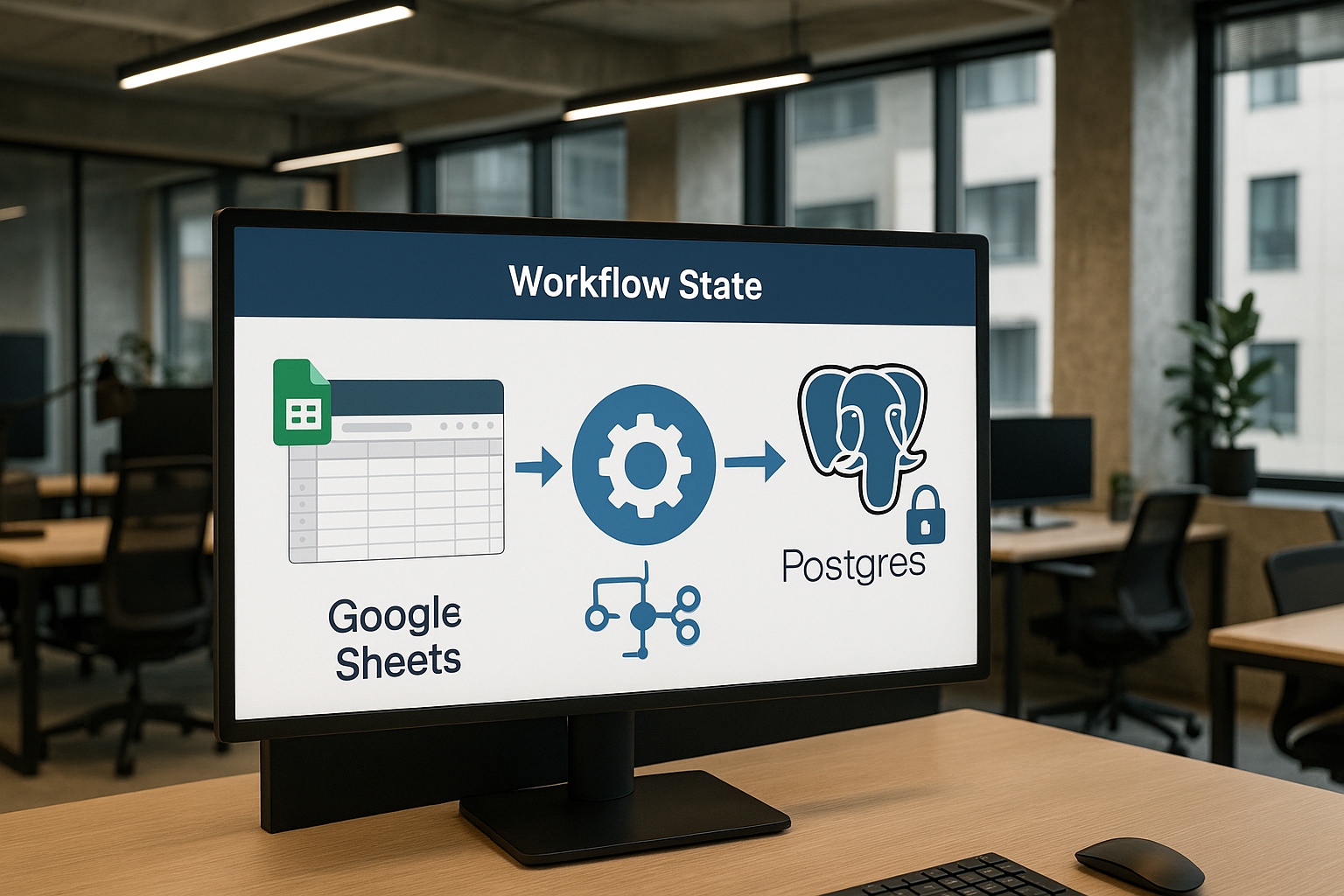
Many agencies begin their automation journey by storing workflow state in Google Sheets. It's accessible, familiar, and easy to get started. But as your agency grows, the cracks in this approach start to show.
Storing workflow state in postgres instead of google sheets offers a powerful upgrade. Postgres brings reliability, scalability, and security to your workflow automation—qualities that Google Sheets simply can't match.
This article is your complete guide to making the switch, tailored for agencies ready to level up their operations.
Introduction: Why Move Workflow State from Google Sheets to Postgres?
Many agencies start by tracking workflow state in Google Sheets because it’s familiar and easy to share. However, scaling your operations quickly exposes the limitations of this approach.
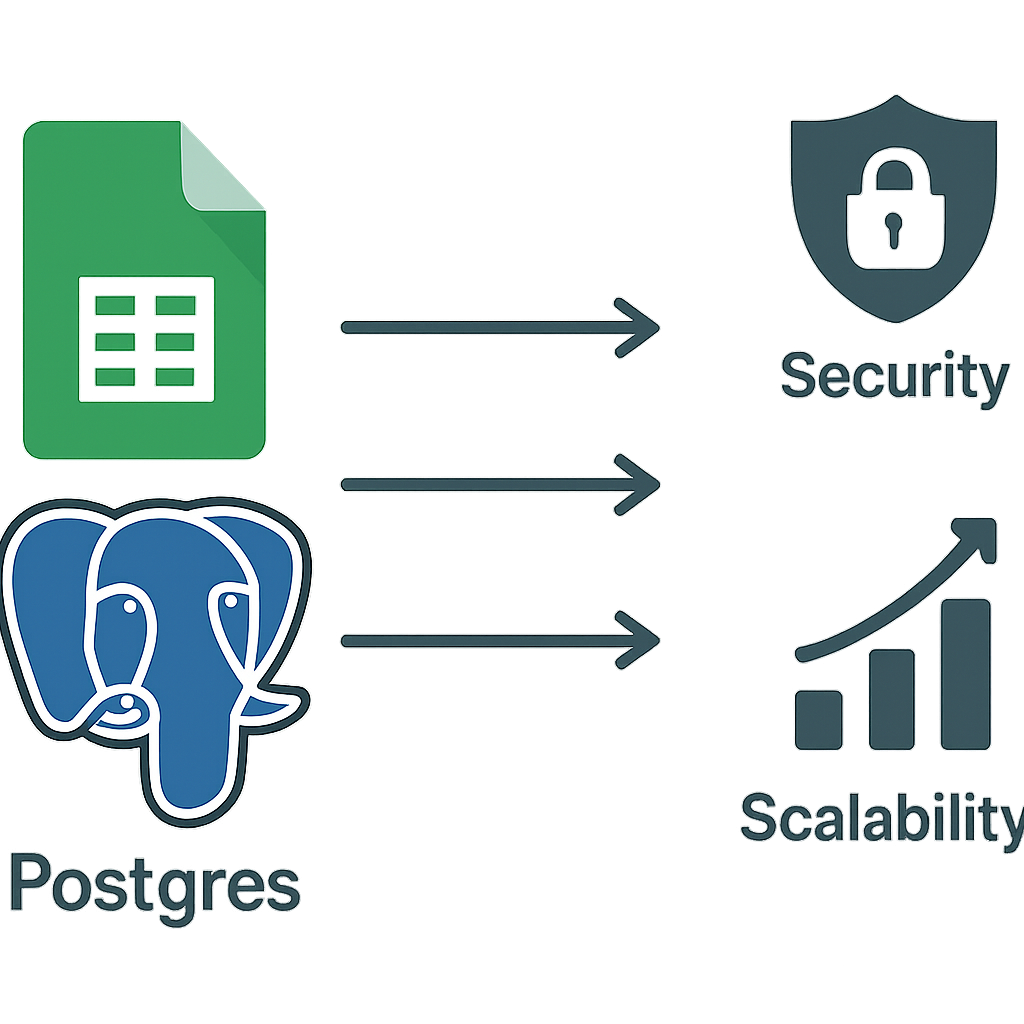
Sheets can become slow, error-prone, and difficult to secure as your data grows. According to Google’s own documentation, Sheets are not designed for robust workflow automation at scale.
Unlocking Reliability and Control with Postgres
Switching to Postgres means gaining reliable data integrity and advanced concurrency control. Postgres is a full-featured relational database that supports complex queries, transactions, and fine-grained access management.
This makes it ideal for storing workflow state in postgres instead of google sheets, especially when multiple users or automations need to update records simultaneously. As outlined in the official Postgres documentation, these features ensure your workflow data remains consistent and auditable.
Here are several reasons agencies choose storing workflow state in postgres instead of google sheets:
- Better support for concurrent edits without overwriting each other’s changes
- Stronger data validation and schema enforcement
- Easier integration with automation tools and APIs
- More granular permissions and security controls
- Improved performance for large or complex workflows
When you rely on Google Sheets, you risk accidental data loss, slow performance, and security gaps as your team grows.
Storing workflow state in postgres instead of google sheets lets you automate with confidence, knowing your data is protected and scalable. This playbook will guide you through the transition and help your agency unlock the full potential of modern workflow automation.
1. When to Use n8n Instead of a Spreadsheet
Storing workflow state in postgres instead of google sheets becomes essential as your automations grow in complexity. Spreadsheets are great for simple tracking, but they quickly become bottlenecks when you need robust automation.
n8n is a workflow automation tool that connects to Postgres and other databases, letting you build scalable, reliable automations.
Key Scenarios for n8n and Postgres
- Multiple users or automations updating the same data
- Need for audit trails and rollback
- Complex branching logic or error handling
- Integration with APIs, CRMs, or messaging platforms
By storing workflow state in postgres instead of google sheets, you gain the ability to handle these scenarios with confidence.
According to n8n documentation, n8n’s database integrations are designed for reliability and scale. This makes it the preferred choice for agencies looking to avoid spreadsheet limitations.
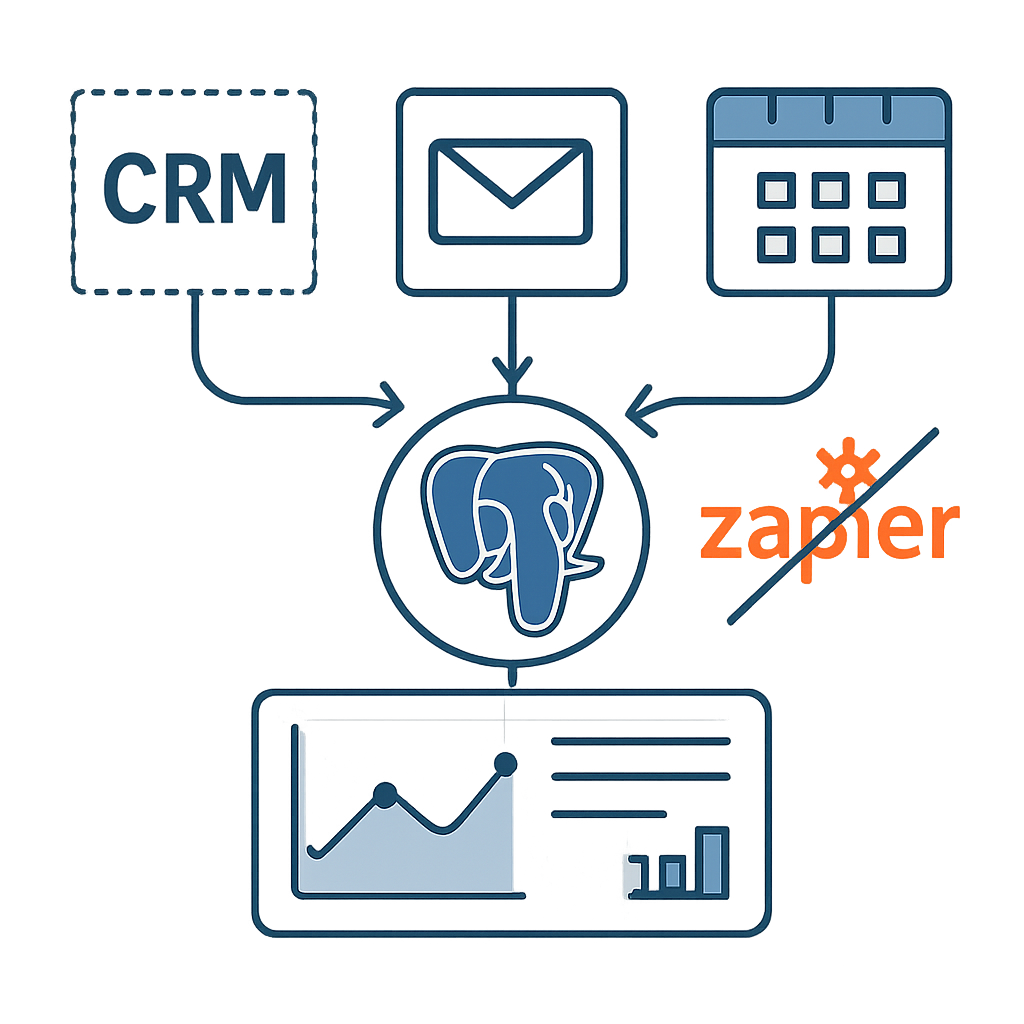
2. Connecting a CRM to Email and Calendar Without Zap Sprawl
One of the biggest headaches for agencies is managing "Zap sprawl"—the proliferation of disconnected automations across tools like Zapier and Google Sheets. Storing workflow state in postgres instead of google sheets allows you to centralize your data and integrations.
Benefits of Centralizing Workflow State
- Single source of truth for all workflow data
- Easier maintenance as automations grow
- Reduced risk of data loss or duplication
- Stronger security and access controls
By using Postgres as your workflow state store, you can connect your CRM, email, and calendar systems through tools like n8n.
This approach streamlines your automations and keeps everything in sync, eliminating the chaos of Zap sprawl. For more on CRM automation, see CRM automation services.
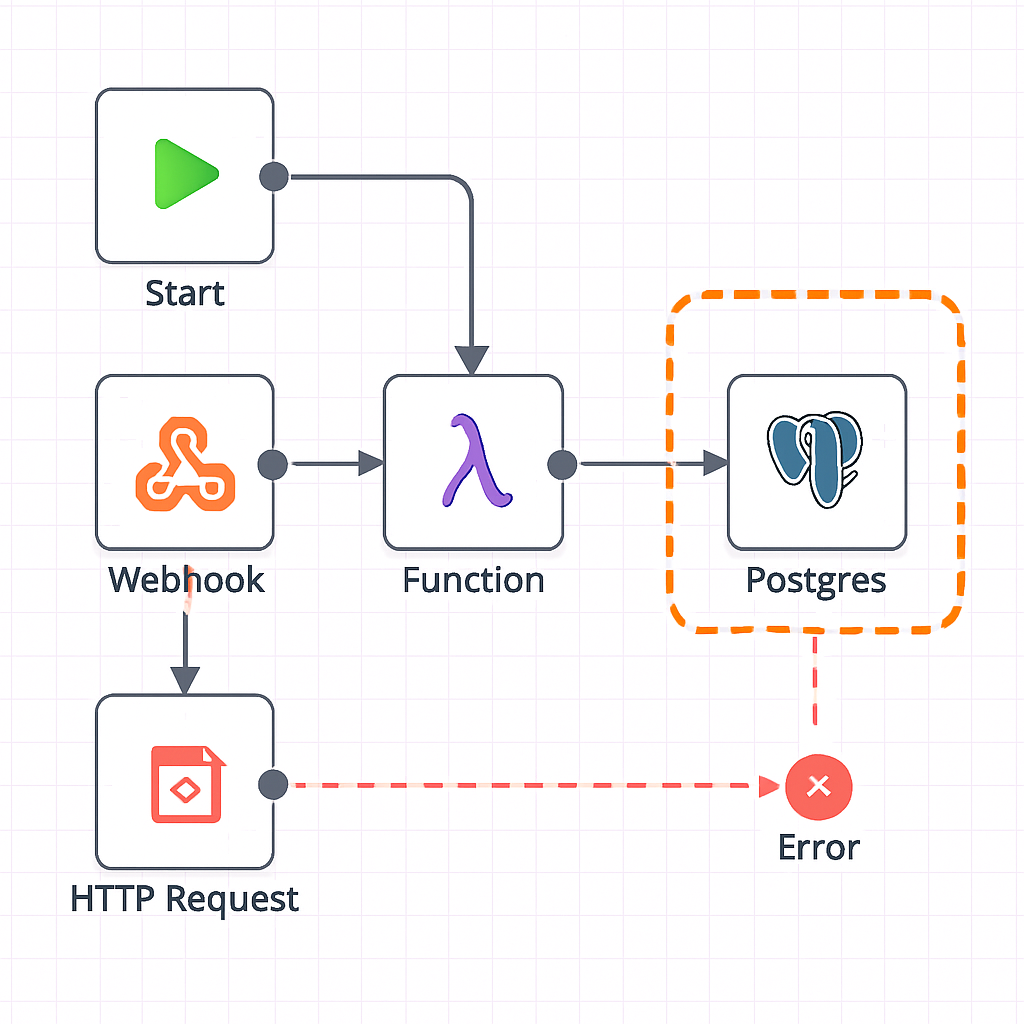
3. Error Handling in a Production n8n Workflow
Storing workflow state in postgres instead of google sheets gives you advanced error handling options. In production, workflows must be resilient to failures—something spreadsheets struggle with.
Best Practices for Error Handling
- Log errors to Postgres for auditing and troubleshooting
- Use n8n’s error handling nodes to catch and manage failures
- Set up alerts for critical errors via email or messaging
- Implement retries and fallback logic for reliability
With Postgres, you can track every step of your workflow and recover gracefully from errors. This is essential for agencies running mission-critical automations. Learn more about custom workflow automation at Custom workflow automation.
Designing Robust Error Handling Strategies
In production n8n workflows, error handling must account for both predictable failures and unexpected edge cases. Start by identifying all possible points of failure, such as API timeouts, malformed data, or database connection issues.
For each failure point, define a clear response strategy—whether it’s retrying the operation, sending an alert, or rolling back changes.
Implementing try-catch nodes in n8n allows you to isolate errors and prevent them from cascading through the workflow.
You can log errors to Postgres for later analysis, enabling your team to spot recurring issues and refine the workflow over time. Consider setting up notifications via email or messaging platforms to alert stakeholders when critical errors occur.
Real-World Example: Handling API Failures
Suppose your workflow retrieves data from a third-party CRM and writes it to Postgres. If the CRM API is temporarily unavailable, the workflow should catch the error, log the incident, and attempt a retry after a short delay.
If repeated retries fail, escalate the issue by notifying a team member for manual intervention.
- Use try-catch nodes to isolate errors
- Log errors to Postgres for analysis
- Set up notifications for critical failures
- Implement retry logic with exponential backoff
- Escalate persistent issues to human operators
Trade-offs and Pitfalls in Error Handling
Overly aggressive retry logic can lead to resource exhaustion or duplicate data entries if not carefully managed. Set sensible limits on the number of retries and ensure idempotency in your workflow actions to prevent unintended side effects.
Another pitfall is failing to provide enough context in error logs. Include relevant details such as input data, error messages, and timestamps to make troubleshooting more efficient. Regularly review error logs to identify patterns and prioritize fixes.
Finally, remember that not all errors require immediate action. Categorize errors by severity and tailor your response accordingly. For non-critical issues, batch notifications or periodic reports may be more appropriate than real-time alerts, reducing alert fatigue among your team.
4. Migrating Workflow State: From Google Sheets to Postgres
Transitioning to storing workflow state in postgres instead of google sheets requires careful planning. Start by mapping your current data structure and identifying dependencies in your existing automations.
Migration Checklist
- Export data from Google Sheets in CSV format
- Design your Postgres schema to match workflow needs
- Import data into Postgres using scripts or tools
- Update automations (e.g., n8n workflows) to use Postgres
- Test thoroughly to ensure data integrity and automation reliability
Migration can be straightforward with the right approach. For agencies, this move unlocks better performance, security, and scalability. For more tips, see What to automate first in a small business.
Step-by-Step Migration Process
Begin by exporting your existing workflow state data from Google Sheets in a structured format such as CSV.
Review the data for inconsistencies, missing values, or formatting issues that could cause problems during import. Clean and normalize the data to match the schema you plan to use in Postgres.
Next, design your Postgres tables to reflect the structure and relationships of your workflow state. Define primary keys, foreign keys, and indexes to optimize query performance and maintain data integrity. Use tools like pgAdmin or command-line utilities to create the necessary tables and constraints.
Importing and Validating Data
Once your schema is ready, import the cleaned data into Postgres using bulk import tools such as the COPY command or third-party ETL solutions.
After the import, run validation queries to check for missing or duplicate records, ensuring that the migration has preserved all necessary information.
- Export data from Google Sheets as CSV
- Clean and normalize data for consistency
- Design Postgres tables with appropriate keys
- Use bulk import tools for efficiency
- Validate imported data for completeness
Updating Workflows and Handling Edge Cases
After migrating the data, update your n8n workflows to read from and write to Postgres instead of Google Sheets. Test each workflow thoroughly to confirm that state transitions and error handling work as expected.
Pay special attention to edge cases, such as concurrent updates or partial failures, which may behave differently in a relational database environment.
A common pitfall is overlooking dependencies between workflows that previously shared state via Google Sheets. In Postgres, you may need to implement transactional logic or use triggers to coordinate updates across related tables. Document these changes and communicate them to your team to avoid confusion.
Finally, plan for a rollback strategy in case issues arise after migration. Keep a backup of your original Google Sheets data and consider running both systems in parallel until you are confident in the stability of the new setup.
5. Security and Compliance: Why Agencies Choose Postgres
Security is a top concern when storing workflow state in postgres instead of google sheets. Postgres offers robust access controls, encryption options, and audit logging. This is critical for agencies handling sensitive client data or operating in regulated industries.
Security Advantages of Postgres
- Role-based access control for granular permissions
- Data encryption at rest and in transit
- Comprehensive audit logs for compliance
- Regular updates and community support
Agencies love the peace of mind that comes with Postgres. For more on secure automation, visit Lead follow-up automation.
Deepening Security with Postgres Features
Postgres offers granular access controls that allow agencies to restrict data visibility and modification rights at the table, row, or even column level.
This is especially important for agencies handling sensitive client information or operating in regulated industries. By leveraging roles and permissions, you can ensure that only authorized users can access or alter workflow state data.
Encryption is another area where Postgres excels. Data can be encrypted both at rest and in transit, reducing the risk of unauthorized access during storage or transfer.
Agencies can implement SSL/TLS for client connections and use built-in or third-party tools to encrypt data on disk, providing an extra layer of protection beyond what Google Sheets offers.
Compliance Considerations and Auditability
Many agencies must comply with standards such as GDPR, HIPAA, or SOC 2. Postgres supports detailed logging and auditing, making it easier to track who accessed or modified data and when.
These logs are invaluable during compliance audits and can help agencies demonstrate that they are meeting regulatory requirements.
Postgres also supports time-based retention policies and automated backups, ensuring that historical workflow state data is preserved or purged according to policy. This is critical for agencies that need to prove data retention or deletion in line with client agreements or legal mandates.
- Granular access controls for sensitive data
- Encryption at rest and in transit
- Detailed audit logs for compliance
- Automated backups and retention policies
- Integration with compliance monitoring tools
Trade-offs and Potential Pitfalls
While Postgres provides robust security features, configuring them incorrectly can introduce vulnerabilities. For example, failing to enforce SSL connections or mismanaging user roles may leave data exposed. Agencies should regularly review their security settings and conduct periodic audits to ensure compliance.
Another consideration is the complexity of managing security at scale. As your agency grows and more workflows are automated, maintaining consistent security policies across multiple databases and environments can become challenging. Investing in centralized monitoring and automated policy enforcement tools can help mitigate this risk.
Finally, agencies should be aware that compliance requirements can change over time. Staying informed about evolving regulations and updating your Postgres configurations accordingly is essential to maintaining a secure and compliant workflow automation environment.
Frequently Asked Questions About Storing Workflow State in Postgres Instead of Google Sheets
Why is Postgres better than Google Sheets for storing workflow state?
Postgres offers robust data integrity, scalability, and advanced querying capabilities, making it more reliable for managing complex workflow states compared to Google Sheets, which is limited in handling concurrent updates and large datasets.
Can I use n8n to automate workflows without relying on spreadsheets?
Yes, n8n is designed for workflow automation and can connect directly to databases like Postgres, allowing you to manage workflow state without the limitations of spreadsheets.
How do I handle errors in an n8n workflow connected to Postgres?
Implement error handling nodes in n8n to catch failures, log errors to Postgres for auditing, and set up alerts to notify your team, ensuring smooth recovery and minimal downtime.
Is migrating workflow data from Google Sheets to Postgres difficult?
Migration requires careful planning and validation but can be streamlined using data export tools and scripts. Ensuring data integrity and schema compatibility is key to a successful migration.
How can I avoid Zap sprawl when connecting CRM, email, and calendar systems?
Centralize your integrations using tools like n8n and store workflow state in Postgres to reduce the number of separate automation tools, simplifying maintenance and improving reliability.
Ready to Upgrade Your Agency’s Workflow Automation?
If you’re ready to experience the benefits of storing workflow state in postgres instead of google sheets, schedule a free consultation with AutomateSTL today.
Taking the First Steps Toward Enhanced Workflow Automation
Upgrading your agency’s workflow automation begins with a thorough assessment of your current processes. Start by mapping out every step where data is captured, transformed, or handed off between tools.
This helps you identify bottlenecks and areas where automation can have the most impact. Involve key team members who interact with these workflows daily to ensure no critical step is overlooked.
Once you have a clear understanding of your existing workflows, prioritize which processes would benefit most from moving state management to Postgres. For example, workflows that require robust error handling, audit trails, or frequent updates to shared data are prime candidates.
Document the specific pain points you experience with Google Sheets, such as version conflicts or slow performance at scale, to build a strong case for migration.
Planning and Executing the Migration
Before making any changes, set up a staging environment where you can test the new Postgres-backed workflows without disrupting your live operations.
Use sample data to simulate real-world scenarios, paying close attention to how state transitions are handled and how errors are logged. This approach minimizes risk and allows you to fine-tune your automation before going live.
During the migration, communicate clearly with your team about what to expect. Provide training on any new interfaces or tools, and establish a feedback loop so users can report issues or suggest improvements.
Consider running the old and new systems in parallel for a short period to ensure a smooth transition.
- Map out current workflow steps and pain points
- Prioritize workflows for migration based on impact
- Set up a test environment with sample data
- Train team members on new processes
- Run systems in parallel during the transition
Avoiding Common Pitfalls
One common pitfall is underestimating the complexity of data relationships that were previously managed informally in Google Sheets.
In Postgres, you’ll need to define clear schemas and relationships, which can be more rigid but also more reliable. Take the time to design your database structure carefully, considering future scalability and reporting needs.
Another issue is neglecting to update documentation and internal processes. As workflows evolve, ensure that all documentation reflects the new state management approach. This reduces confusion and helps onboard new team members more efficiently.
Finally, monitor your new workflows closely after launch. Use logging and alerting tools to catch errors early and iterate quickly based on real-world usage. By taking a proactive approach, you can ensure your agency reaps the full benefits of upgraded workflow automation.