
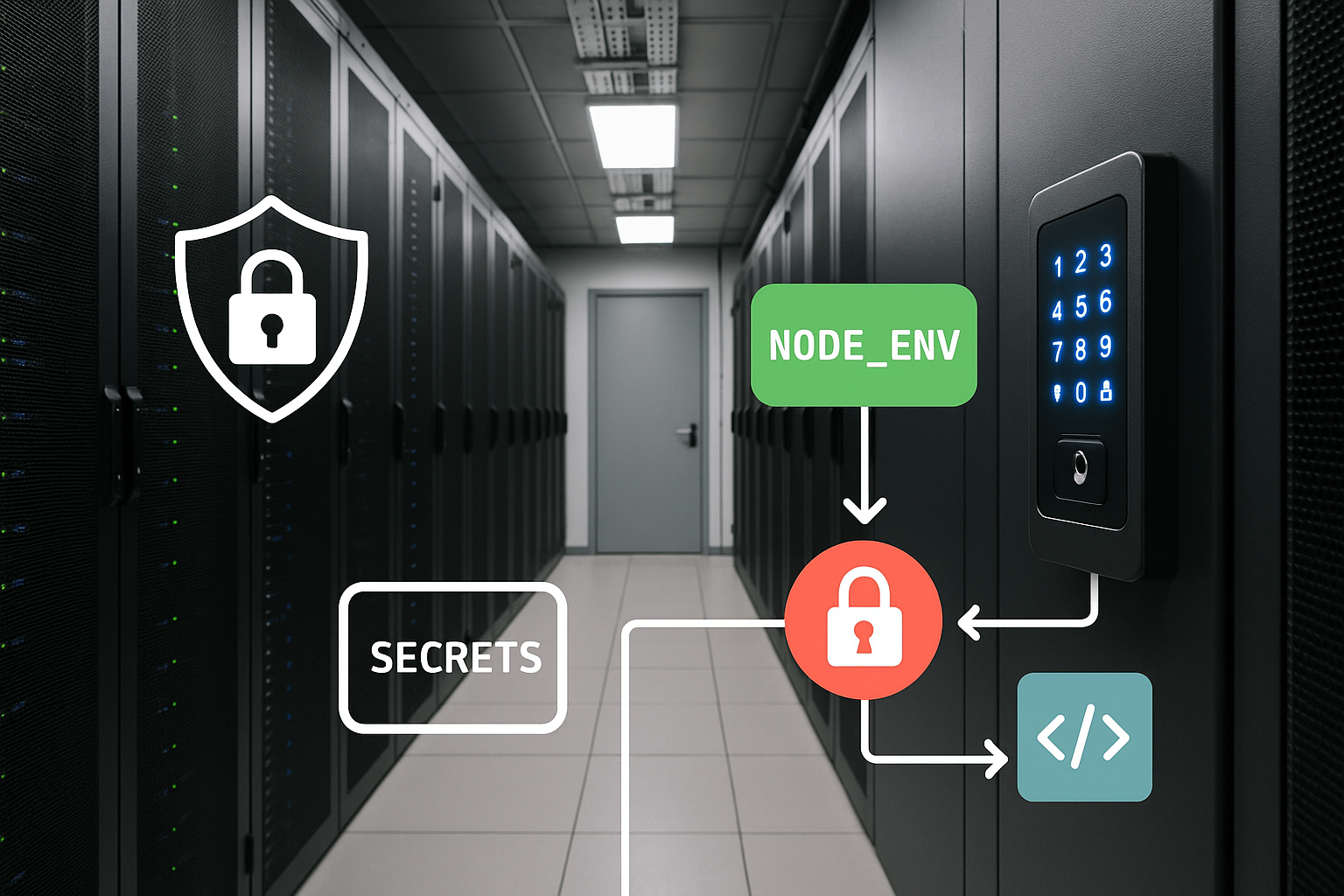
Managing sensitive data is a core challenge for anyone running automation workflows. With the rise of self-hosted tools like n8n, the responsibility for secrets handling shifts squarely onto your shoulders.
If you’re considering or already running your own n8n instance, understanding secrets handling for self hosted n8n is essential. It’s not just about keeping passwords safe—it's about protecting your business, your clients, and your reputation.
Understanding Secrets in Self-Hosted n8n
Every automation platform relies on sensitive data to connect with external services. In the context of n8n, these pieces of sensitive information are called secrets. Secrets are essential for authenticating API requests, logging into databases, or integrating with cloud services.

A secret in n8n could be an API key, a password, or an OAuth token. These credentials allow workflows to perform actions on your behalf.
If exposed, they can lead to unauthorized access or data leaks, which is why secrets handling for self hosted n8n is critical.
What Kinds of Secrets Matter Most?
Most commonly, n8n workflows use secrets such as:
- API keys for third-party services
- Database connection strings
- OAuth tokens for user authentication
- SMTP credentials for sending emails
- Webhook signing secrets
Each type of secret has its own risks if mishandled. For example, an exposed API key could let attackers manipulate your accounts or steal data. According to OWASP, improper secrets management is a leading cause of automation-related breaches.
Proper secrets management significantly reduces the risk of automation-related security breaches (OWASP). This is especially important when you host n8n yourself, since you control the infrastructure and access points. Unlike managed services, you are responsible for both storing and protecting secrets.
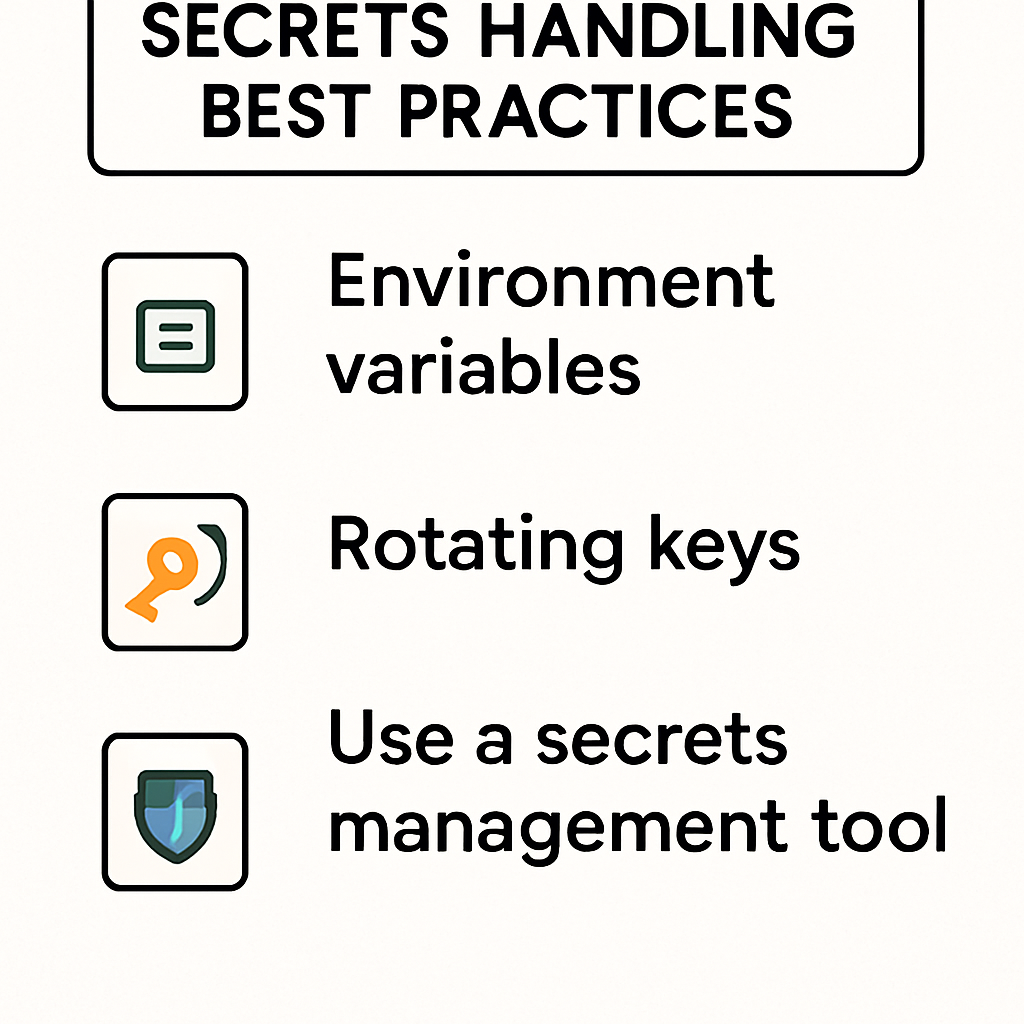
A best practice for secrets handling for self hosted n8n is to use environment variables. This keeps secrets out of workflow code and version control, reducing accidental exposure.
Another key practice is rotating secrets regularly to prevent unauthorized access from leaked or compromised credentials (AWS Secrets Manager).
To manage secrets securely in your n8n instance:
- Store secrets as environment variables, not in workflow nodes.
- Limit access to the environment file and server.
- Rotate credentials on a regular schedule.
- Audit workflows for hardcoded secrets.
- Use strong, unique values for every secret.
Secrets handling for self hosted n8n is not just about hiding passwords—it’s about building trust in your automation. Taking these precautions will help you avoid common pitfalls and keep your workflows secure.
Types of Secrets and Their Use Cases
Secrets in n8n can include API keys, OAuth tokens, database passwords, and webhook signing secrets.
Each type of secret serves a distinct function: API keys grant access to third-party services, OAuth tokens enable delegated authorization, and database credentials allow workflows to interact with internal systems. Understanding the specific use case for each secret helps tailor your storage and access strategies.
For example, API keys used in production workflows should be stored separately from those used in development or testing.
This separation reduces the risk of accidental cross-environment exposure and simplifies incident response if a secret is compromised. Similarly, OAuth tokens may require periodic refresh or reauthorization, necessitating additional automation to handle token lifecycle management.
- API keys for external integrations
- OAuth tokens for delegated access
- Database credentials for internal resources
- Webhook signing secrets for request validation
- Encryption keys for sensitive data processing
Trade-Offs in Secrets Storage Approaches
Storing secrets as environment variables is simple and integrates well with containerized deployments, but may lack advanced access controls or audit logging.

Dedicated secrets managers offer enhanced security features, such as fine-grained permissions and automated rotation, but introduce additional complexity and operational overhead. Evaluate your organization’s risk tolerance, compliance needs, and technical expertise when choosing a storage approach.
A common pitfall is underestimating the risk of secrets sprawl—when credentials are duplicated across multiple locations or embedded in workflow files. This increases the attack surface and complicates incident response. Regularly inventory your secrets and consolidate storage wherever possible to minimize exposure.
Worked Example: Securing a Database Connection
Suppose you need to connect an n8n workflow to a PostgreSQL database. Instead of embedding the database password directly in the workflow node, store it as an environment variable (e.g., `POSTGRES_PASSWORD`).
Configure your n8n instance to read this variable at startup, and ensure that only the n8n process has permission to access it. This approach allows you to rotate the password without modifying the workflow itself, reducing operational risk and simplifying maintenance.
Common Secrets Types and Their Uses
Secrets in n8n often include API tokens, database passwords, and OAuth credentials. Each type requires different handling; for example, OAuth tokens may expire and need periodic refreshing, while database passwords should be rotated regularly. Failing to distinguish between these can lead to overlooked vulnerabilities.
- API tokens: used for third-party integrations
- Database credentials: secure access to internal data
- Webhook secrets: validate incoming requests
Costs and Risks of Poor Secrets Handling for Self Hosted n8n
Secrets handling for self hosted n8n is not just a technical detail—it can have real financial and reputational consequences. Failing to secure secrets exposes your business to unnecessary risks.
Financial Costs
If secrets are leaked, attackers can gain access to paid APIs, cloud resources, or databases. This can result in:
- Unauthorized charges on your accounts
- Data loss or corruption
- Service downtime
Recovering from a breach often requires incident response, legal consultation, and sometimes regulatory reporting. These costs can far exceed the investment required for proper secrets handling for self hosted n8n.
Reputational Risks
A single leak can damage client trust and your business reputation. If sensitive customer data is exposed, you may be required to notify affected parties and regulators. This can lead to lost business and negative press.
Compliance and Legal Risks
Depending on your industry, you may be subject to data protection laws (like GDPR or HIPAA). Poor secrets handling for self hosted n8n can result in compliance violations, fines, or lawsuits.
Operational Risks
Improper secrets management can also cause workflow failures. For example, expired or revoked credentials can break automations, leading to missed leads or delayed responses. This can impact your ability to deliver services reliably.
In summary, investing in robust secrets handling for self hosted n8n is essential to avoid costly incidents and protect your business.
Real-World Impacts of Inadequate Secrets Management
When secrets are mishandled, the consequences can extend far beyond technical disruptions. For example, if an exposed API key is used to access a third-party service, attackers may incur unexpected charges or manipulate data, leading to financial losses and operational chaos.
Even a brief exposure can result in service lockouts or revoked access, disrupting mission-critical workflows.
Legal and regulatory risks also loom large. If your n8n instance processes personal or sensitive data, a breach involving secrets could trigger mandatory disclosure requirements or regulatory fines.
Organizations subject to GDPR, HIPAA, or similar frameworks must demonstrate due diligence in protecting credentials, or risk reputational and financial penalties.
- Data breaches from exposed credentials
- Unauthorized transactions or data manipulation
- Service interruptions due to revoked or abused keys
- Regulatory fines for non-compliance
- Loss of customer trust and business reputation
Operational Pitfalls and Hidden Costs
Poor secrets handling often leads to operational inefficiencies. Teams may waste valuable time tracking down the source of a breach or reissuing compromised credentials.
In some cases, workflows must be rebuilt from scratch if secrets are hardcoded or scattered across multiple locations, increasing downtime and labor costs.
Another hidden cost is the erosion of trust within your organization. If team members routinely share secrets over insecure channels or store them in plain text, it becomes difficult to enforce accountability.
This lack of discipline can undermine broader security initiatives and make it harder to adopt best practices in the future.
Trade-Offs in Remediation
Addressing poor secrets management after an incident is always more expensive than prevention. Emergency remediation may require engaging external consultants, conducting forensic investigations, and implementing new tooling under tight deadlines. These reactive measures divert resources from strategic projects and can delay business objectives.
By contrast, investing in robust secrets handling upfront—such as implementing environment variables, access controls, and regular audits—yields long-term savings and peace of mind. Weighing these trade-offs helps justify the allocation of resources to proactive security measures.
Real-World Consequences
If secrets are mishandled, attackers may gain access to connected services, resulting in data loss or service disruption.
Even a brief exposure of API keys can lead to unexpected charges or account lockouts. Recovery from a breach often requires time-consuming audits and may damage your organization's reputation.
- Legal liabilities from data breaches
- Loss of customer trust
- Increased operational costs for remediation
Best Practices for Secrets Handling for Self Hosted n8n
Adopting best practices for secrets handling for self hosted n8n is the foundation of secure automation. Here are proven strategies to keep your secrets safe:
1. Use Environment Variables
Store all sensitive credentials as environment variables. This keeps secrets out of workflow code and version control. For Docker deployments, use the `.env` file and ensure it is not committed to your repository.
2. Limit Access
Restrict access to the server and environment files. Only trusted administrators should have the ability to view or modify secrets. Use operating system permissions to enforce this.
3. Rotate Secrets Regularly
Change API keys, passwords, and tokens on a schedule. This reduces the risk of long-term exposure if a secret is compromised. Tools like AWS Secrets Manager or HashiCorp Vault can automate rotation.
4. Audit and Monitor
Regularly review workflows for hardcoded secrets or outdated credentials. Set up monitoring to alert you if secrets are accessed or changed unexpectedly.
5. Use Strong, Unique Secrets
Generate strong passwords and keys for every integration. Avoid reusing secrets across services. Consider using a password manager or automated secret generator.
6. Integrate with External Secret Managers
For advanced security, connect n8n with external secret management tools like HashiCorp Vault or Kubernetes Secrets (Kubernetes Secrets). This centralizes secrets and provides audit trails.
By following these best practices, you can ensure that secrets handling for self hosted n8n is both secure and scalable.
Implementing Secure Secrets Storage
Begin by centralizing secrets management using environment variables or a dedicated secrets manager. Avoid storing credentials directly in workflow nodes or configuration files. Instead, reference secrets through environment variables that are injected at runtime, reducing the risk of accidental exposure in version control or backups.
When using a secrets manager, ensure it integrates smoothly with your n8n deployment. Solutions like HashiCorp Vault or AWS Secrets Manager can automate secret rotation and provide granular access controls.
Evaluate the trade-offs between self-hosted and managed secrets managers, considering factors such as scalability, compliance requirements, and operational overhead.
- Use environment variables for all sensitive credentials
- Integrate with a secrets manager for automated rotation
- Limit access to secrets based on least privilege
- Audit secrets usage regularly for anomalies
- Document secrets handling procedures for your team
Securing Access and Monitoring Usage
Restrict access to secrets by leveraging operating system permissions and network segmentation. Only authorized users and processes should be able to read or modify secrets. Implement multi-factor authentication for administrative access to your secrets storage, and log all access attempts for auditing purposes.
Monitoring is essential for early detection of misuse or compromise. Set up alerts for failed authentication attempts, unusual access patterns, or changes to secrets. Regularly review audit logs to identify potential security incidents and respond promptly.
Pitfalls to Avoid
Avoid hardcoding secrets in workflow files, as this makes them difficult to rotate and increases the risk of accidental leaks. Be cautious when sharing workflow exports or collaborating with others—ensure that secrets are stripped or replaced with placeholders before distribution.
Finally, don’t overlook the importance of documentation and training; ensure that all team members understand the correct procedures for handling secrets.
Practical Implementation Tips
When integrating external APIs, always reference secrets through environment variables rather than embedding them in workflow nodes.
Consider using a dedicated secrets management tool, such as HashiCorp Vault or AWS Secrets Manager, to store and retrieve credentials dynamically. Test your setup by simulating a credential leak and verifying that access can be revoked quickly.
- Document your secrets handling process
- Monitor n8n logs for unauthorized access attempts
- Educate team members about secure credential usage
FAQ: Secrets Handling for Self Hosted n8n
What are the best methods to store secrets securely in self-hosted n8n?
Best methods include using environment variables, encrypted credential stores, and integrating with external secret management tools such as HashiCorp Vault or AWS Secrets Manager to ensure secrets are not exposed in plain text.
How often should I rotate API keys and tokens used in n8n workflows?
It is recommended to rotate API keys and tokens regularly, typically every 30 to 90 days, depending on your organization's security policies and the sensitivity of the data accessed.
Can I use n8n for automations that involve sensitive customer data?
Yes, but it requires strict secrets management, secure hosting environments, and adherence to data privacy regulations to protect sensitive customer information.
What are the risks of storing secrets directly in n8n workflow JSON files?
Storing secrets directly in workflow JSON files can lead to accidental exposure if files are shared or backed up insecurely, increasing the risk of unauthorized access.
How does n8n handle errors in production workflows?
n8n provides features like error triggers, workflow retries, and notifications to help detect, manage, and respond to errors in production workflows.
Is it better to use n8n or spreadsheets for managing complex automations?
For complex, multi-step automations involving multiple systems, n8n offers greater flexibility, scalability, and error handling compared to spreadsheets.
Ready to Secure Your n8n Automations?
Take the next step to protect your workflows and data. Book a free consultation with AutomateSTL to discuss secrets handling for self hosted n8n and other automation best practices.
Next Steps for Robust Security
Once you’ve assessed your current secrets management approach, consider performing a thorough audit of all workflows. Identify nodes and integrations that utilize sensitive credentials and document where each secret is stored. This process helps uncover overlooked exposures and ensures that all secrets are accounted for.
It’s important to establish a regular review schedule for your secrets management practices. As your automations evolve, new credentials may be added or old ones may become obsolete.
Set reminders to periodically rotate secrets, remove unused credentials, and update access controls. This proactive maintenance reduces the risk of stale or forgotten secrets becoming attack vectors.
- Conduct a secrets inventory for all n8n workflows
- Schedule quarterly reviews of secrets storage and access
- Rotate API keys and passwords at least every 90 days
- Remove credentials from deprecated workflows immediately
- Assign ownership for secrets management within your team
Partnering with Experts
If your team lacks in-house security expertise, consider engaging with professionals who specialize in automation security.
AutomateSTL’s consulting services can help you design and implement a secrets management strategy tailored to your environment. Their experts can also conduct security assessments and provide training for your staff.
For organizations scaling up their automation footprint, integrating secrets management with broader IT security policies is crucial.
Align your n8n secrets handling with company-wide standards for credential storage, access logging, and incident response. This alignment ensures consistency and reduces the risk of gaps between automation and other systems.
Measuring Success
Track the effectiveness of your secrets management by monitoring for unauthorized access attempts, failed authentication events, and audit log anomalies.
Establish clear metrics, such as the number of secrets rotated per quarter or the percentage of workflows using environment variables. These indicators help you demonstrate progress and justify ongoing investment in security improvements.
For more guidance, explore our comprehensive automation security article to see how secrets handling fits into a holistic approach.
Taking the Next Step
Before deploying any workflow, conduct a thorough review of all nodes for hardcoded credentials or sensitive data. Use environment variables or a secrets manager to centralize and control access. Regularly audit your automations to ensure no secrets are inadvertently exposed during updates or migrations.
- Schedule periodic security reviews
- Rotate credentials on a set schedule
- Limit access to secrets based on team roles